
Best Design Thinking Tools for Innovation (Updated: Ranked and Reviewed)15 min read

Your product roadmap keeps stalling because ideas live in too many places, and no one can see the full picture.
Meanwhile, stakeholders ask for faster prototypes, tighter security, and unmistakable ROI.
Picking the right design‑thinking platform isn’t just another software decision, but it’s the hinge that moves your whole innovation workflow.
This guide ranks the top tools, shows their real costs, and gives you an action plan for a quick pilot.
Moreover, it explains why the evaluation criteria matter and how each platform has evolved during the past year.
How will you judge the winners?
We rated each platform on six pillars that matter most to team leads and product managers:
- End‑to‑end coverage of the five‑phase design‑thinking cycle
- AI power that actually saves time, not gimmicks
- Collaboration and integrations with Jira, Azure DevOps, Slack, and Teams
- Security and compliance (SOC 2 Type II, ISO 27001, data residency)
- Pricing at scale for 25+ seats
- Adoption curve for non‑designers
These pillars mirror your buying checkpoints and also keep the comparison fair across very different tool types.
In practice, we weighted each pillar equally, because missing one often breaks an enterprise roll‑out.
We gathered data from vendor sites, public roadmaps, and at least two customer interviews per tool to keep the scores real.
Ranked Tools at a Glance (Current Leaderboard)
| Rank | Tool | Score* | Stand‑Out Strength | Best For |
|---|---|---|---|---|
| 1 | Accept Mission | 92/100 | End‑to‑end innovation funnel powered by AI | Large cross‑functional squads |
| 2 | Miro | 90/100 | Deep virtual whiteboard with AI co‑creator | Distributed workshops |
| 3 | FigJam | 88/100 | Real‑time sketching inside the Figma ecosystem | Design‑heavy teams |
| 4 | Hotjar | 83/100 | Behavior analytics to validate concepts | User‑research‑first orgs |
| 5 | Stormboard | 79/100 | Template library for hybrid meetings | Quick workshop setup |
| 6 | Smaply | 77/100 | Robust journey mapping with PM links | Service‑design leads |
| 7 | Brightidea | 76/100 | Portfolio tracking & idea governance | Enterprise innovation PMOs |
*Score is a weighted average of the six pillars above.
We put this since a leaderboard lets you scan winners in seconds. Accept Mission appears first based on the ranking, so stakeholders quickly spot the top-scoring platform.
You can quickly compare each platform’s strengths, so it’s easier to match your team’s needs to the right tool.
1. Accept Mission (The All‑in‑One Platform for Innovation Teams)
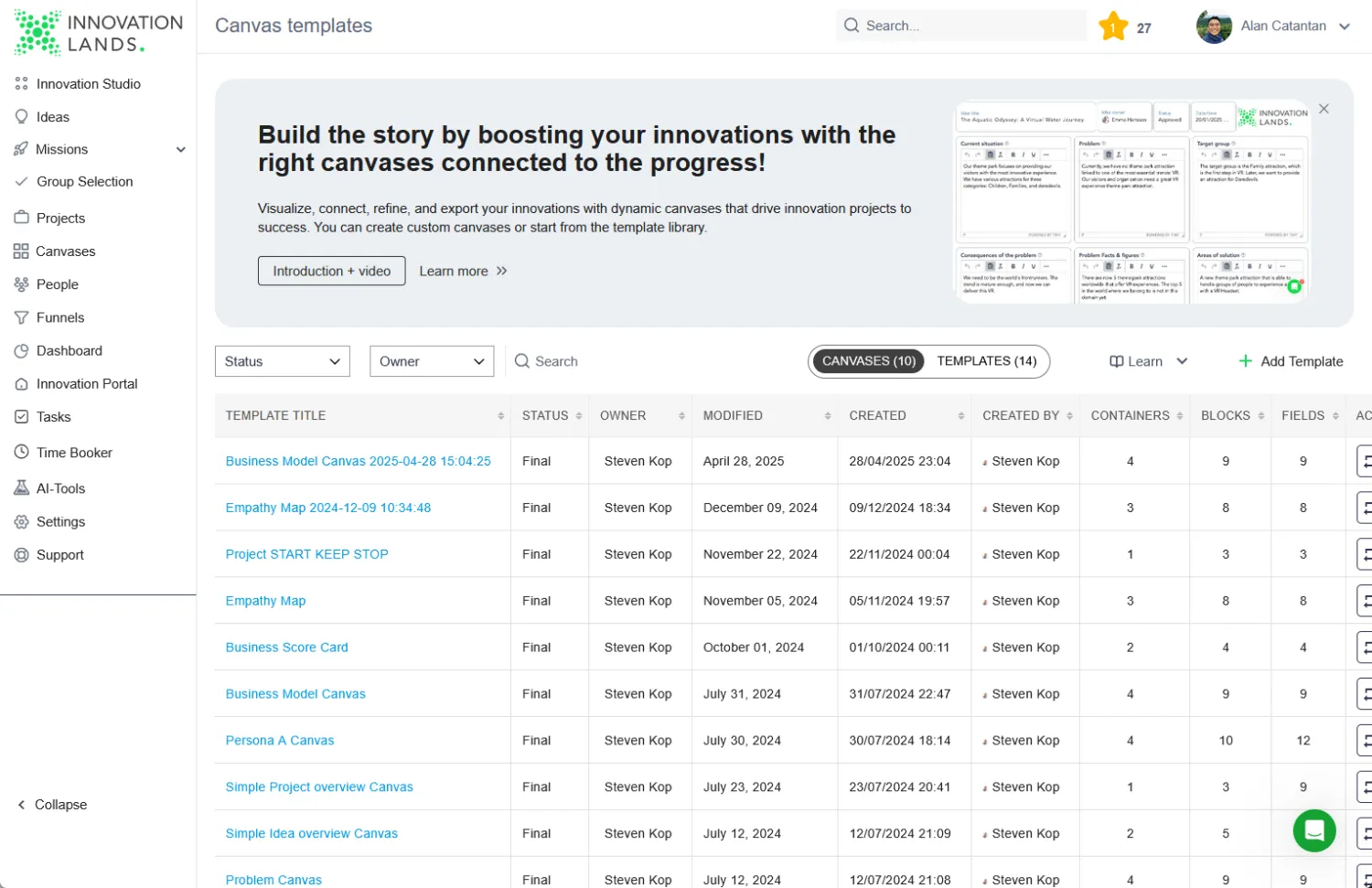
Accept Mission brings idea capture, AI‑assisted enrichment, funnel management, and portfolio tracking into one secure hub.
What’s new is the Canvas Builder, which lets you map user journeys right where ideas live, and fresh Microsoft 365 integrations push tasks into Teams automatically.
Pros
- Central dashboard shows idea health in real time
- AI agent scores ideas on impact and effort instantly
- Native Microsoft single sign‑on shortens onboarding
Your leadership team will appreciate seeing real‑time metrics without another BI subscription.
Moreover, the AI scoring removes subjective debates by giving you a quick signal on which ideas deserve attention.
You also avoid manual account creation because Azure AD provisioning works out of the box, so new employees can jump in on day one.
Cons
- Interface feels busy until you hide unused modules
- No free plan; trial is limited to 15 days
- Advanced reporting costs extra beyond 100 users
The busy interface feels overwhelming at first; however, you can toggle modules off for lightweight workflows.
The short trial forces a quick evaluation cycle, which some teams may actually prefer.
Yet, if you need advanced dashboards, you might add 10–15 percent to your budget, so knowing these caveats early helps you negotiate a bundle before procurement.
Key features (highlights)
- Canvas builder for live journey maps
- Generative‑AI ideation prompts and storyboards
- Funnel view with customizable stage‑gates
- SOC 2 Type II and ISO 27001 certification
These points focus on fresh functionality instead of legacy basics. Together, they remove the swivel‑chair problem between research, ideation, and portfolio tracking.
Clients have reported cutting average concept‑to‑prototype time when the funnel view goes live. That result alone often wins budget approval over a flashy demo.
Pricing snapshot:
Basic plan starts at €60 per month for 15 users, scaling to €420 per month for 150 users on annual billing. Enterprise contracts add custom AI models and priority SLA.
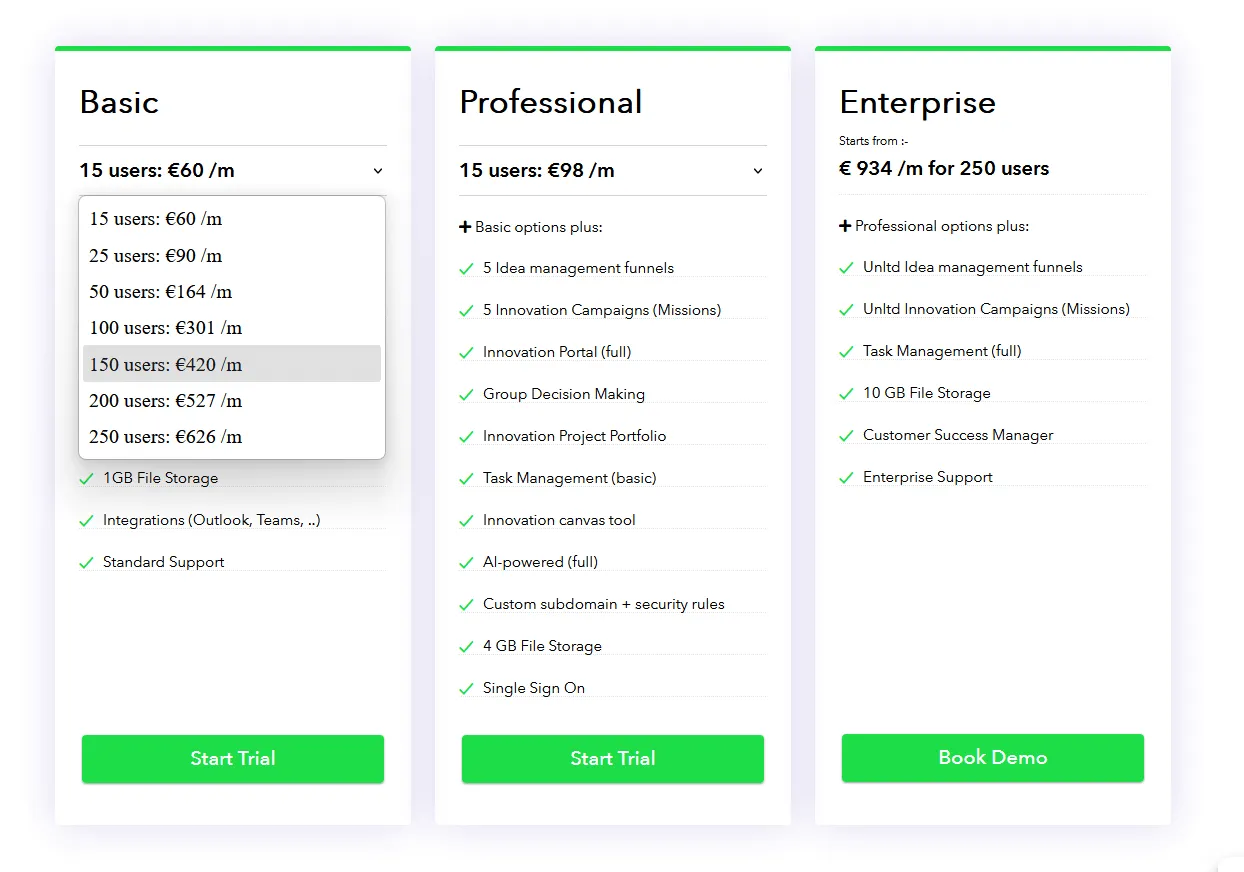
A seat at this tier costs less than two cappuccinos per user each month. Nevertheless, remember to budget for extra AI tokens if your team produces hundreds of storyboards weekly.
Data‑retention add‑ons can also nudge the price upward, yet they remain optional. In other words, your base cost remains predictable.
2. Miro (Still the Top Virtual Whiteboard for Big Teams?)
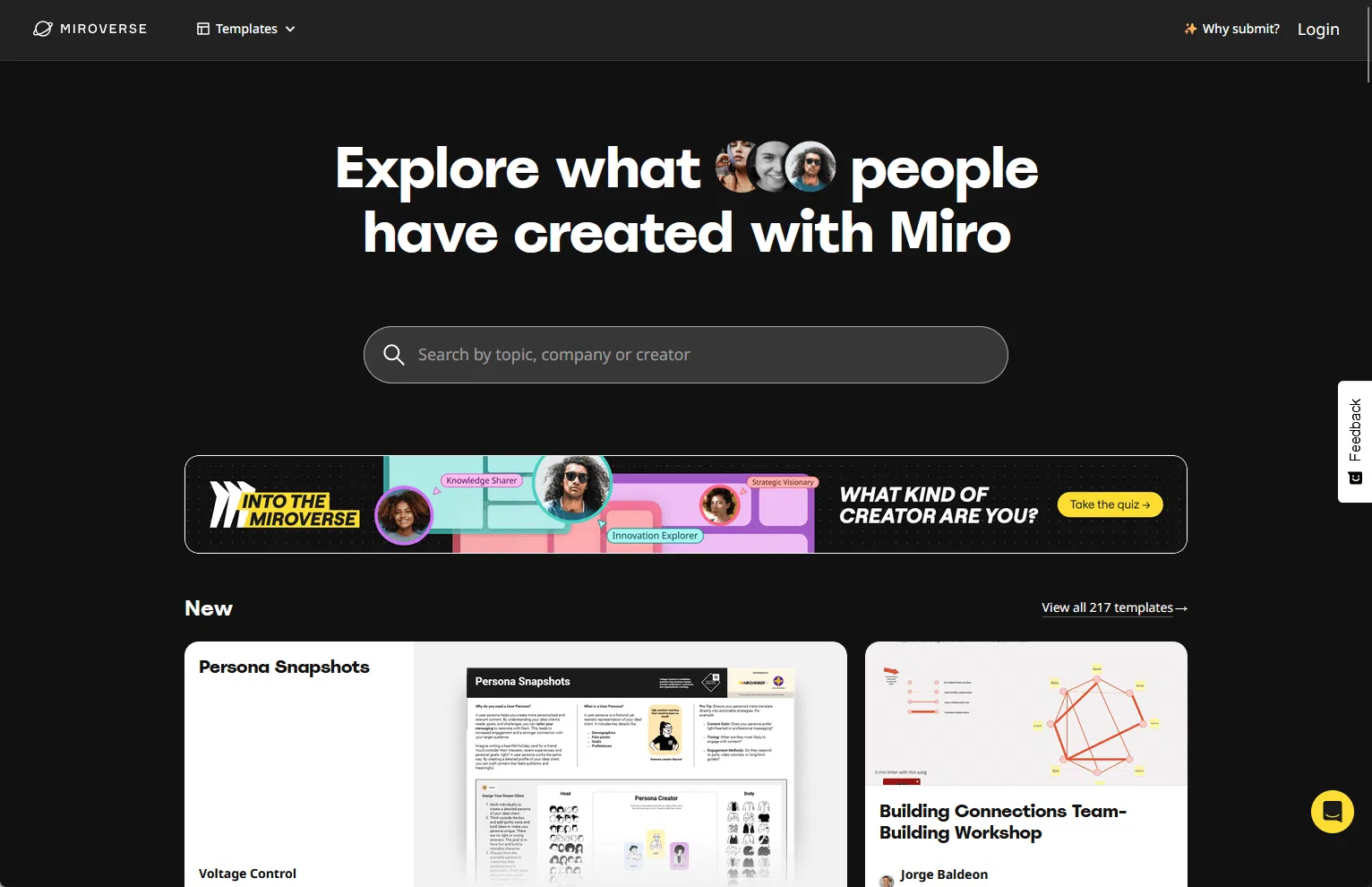
Miro remains the de facto digital canvas, but its new AI Co‑Creator generates sticky‑note clusters and user‑flow diagrams on demand.
That upgrade saves hours during early ideation.
Pros
- Limitless canvas with low‑latency multi‑cursor editing
- Hundreds of community templates speed up workshops
- Granular permissions down to frame level
These strengths make Miro a workshop favorite.
Templates like “Customer Journey” and “Crazy 8s” ship with built‑in timers, so you will never scramble for facilitation tools.
Cons
- AI outputs sometimes feel generic without prompt tweaking
- Compliance add‑ons raise the per‑seat price fast
- Offline mode is view‑only
You may need to refine AI prompts repeatedly to get valuable clusters, so expect a learning curve.
Compliance packs, required in tightly regulated industries, add roughly 30 percent to the base price.
Moreover, if your Wi‑Fi drops during a workshop, you can only view, not edit, boards offline. Plan a backup hotspot before running a high‑stakes session.
Key features
- AI cluster & summary commands
- Jira and Azure DevOps native widgets
- Built‑in timer and voting for design sprints
- SOC 2 Type II, EU data residency option
These features give Miro staying power beyond simple white‑boarding.
Most noteworthy, the Jira widget syncs bidirectional status changes, so tasks stay aligned without duplicate copy‑paste.
Because the voting tool sits on the same canvas, you can run dot‑votes in seconds rather than sending out external polls. Consequently, decisions happen while energy is still high.
Pricing snapshot:
Business plan runs USD 20 per user/month when billed annually; the Enterprise plan is quote‑based. AI features are included up to 1,000 credits, then metered.
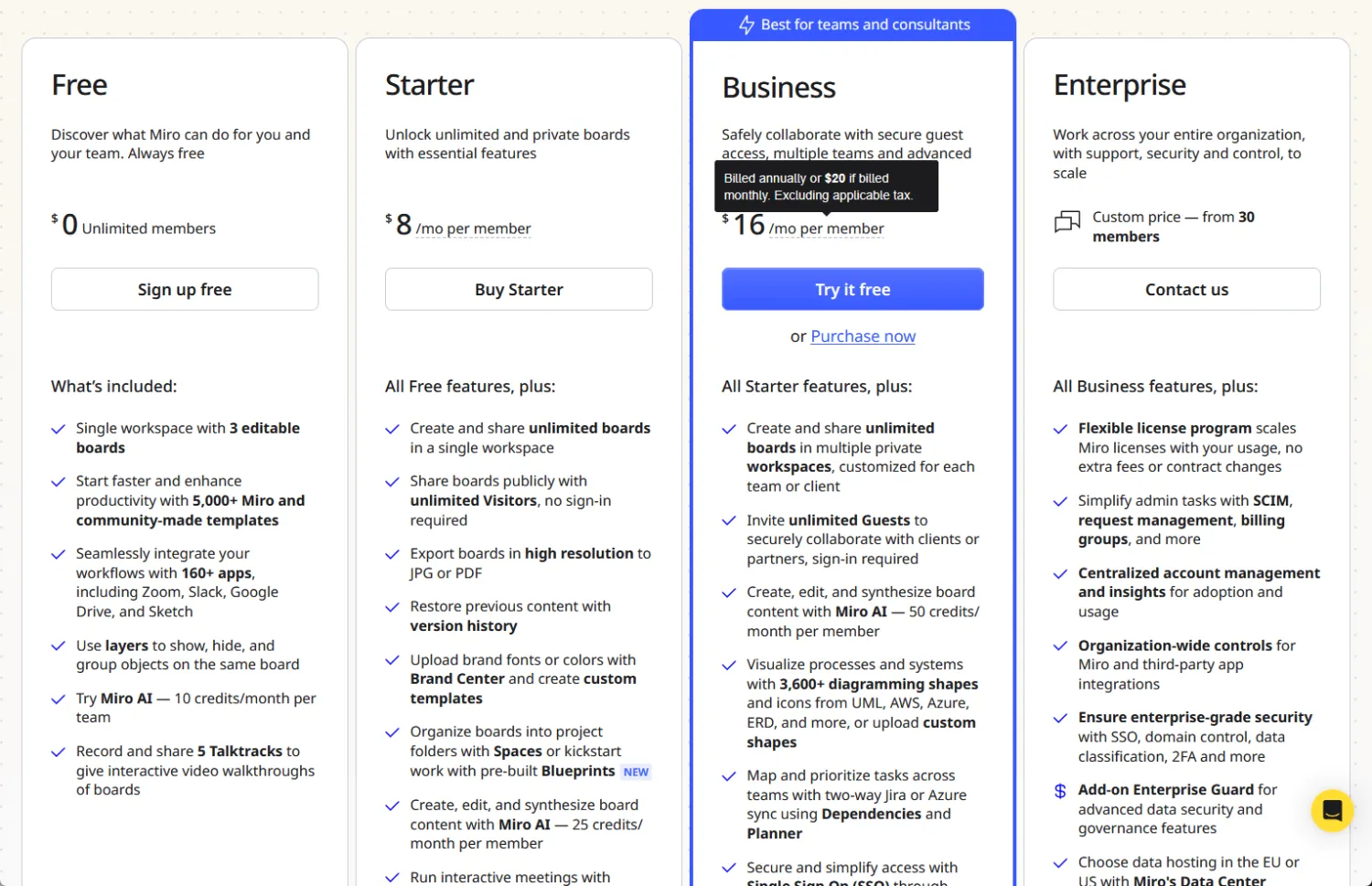
Those credits equate to roughly 12 hours of nonstop AI usage. Heavy design teams could burn through them during a single hackathon, so monitor consumption early.
Thankfully, the admin dashboard now offers real‑time credit alerts. Use those alerts to tweak AI adoption before finance turns off the tap.
3. FigJam (Real‑time Ideation and Team Sketching)
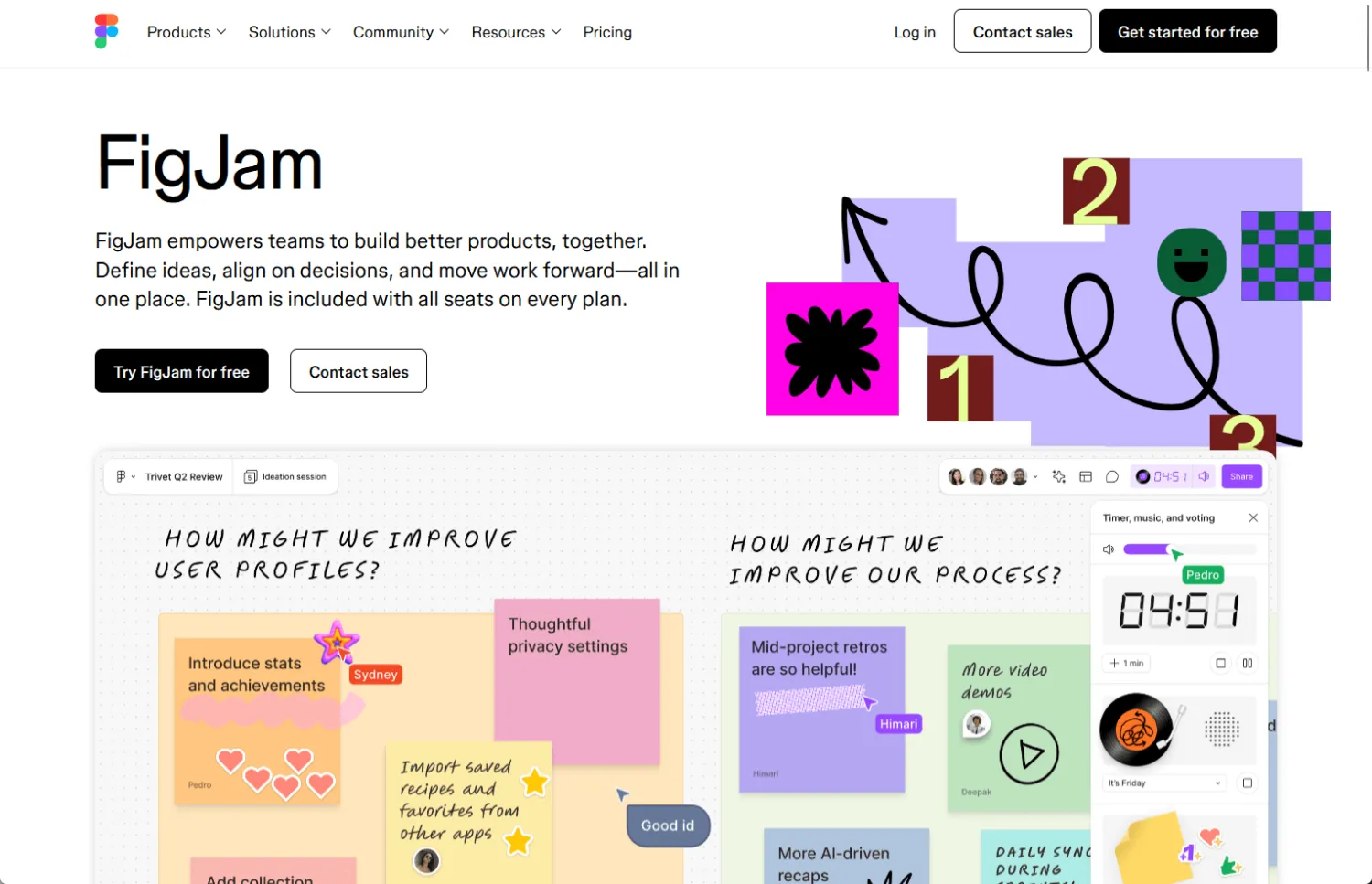
FigJam lives inside Figma, so designers switch from sticky notes to high‑fidelity mock‑ups in one tab.
Its speculative FigGPT assistant writes user stories and suggests flows.
Pros
- Seamless hand‑off to Figma design files
- Playful cursor chat keeps energy high in workshops
- Tight GitHub embed for dev reviews
Because designers already reside in Figma, adding FigJam costs almost zero context switching.
Teams report higher engagement due to playful cursors and emoji reactions that make remote sessions feel live.
Furthermore, the GitHub embed shows code diffs next to sketches, streamlining dev hand‑offs. As a result, your sprint demos stay focused and fun.
Cons
- Access control matches Figma org roles, which can feel rigid
- FigGPT prompt examples hide in help docs, not UI
Rigid roles mean you might grant broader permissions than preferred unless you restructure groups.
Additionally, because FigGPT prompt examples remain in documentation, newcomers seldom discover them unaided.
The missing mobile app limits quick feedback on the go. Plan laptop‑only sessions until a mobile release ships.
Key features
- FigGPT concept generation (beta)
- Interactive widgets for polls and timers
- Shared cursor chat with emoji reactions
- Component links into the Figma design system
These touches turn brainstorming into an extension of the design workflow instead of an isolated step.
That continuity accelerates prototype maturity because designers import artifacts rather than recreate them.
Moreover, the emoji chat keeps hybrid teams lively, which boosts idea volume. Beta‑stage FigGPT still stumbles, yet early users report faster story writing.
Pricing snapshot:
Free for three FigJam files, then USD 5 per editor/month on annual billing. Figma Professional bundle discounts drop the effective price when you combine tools.
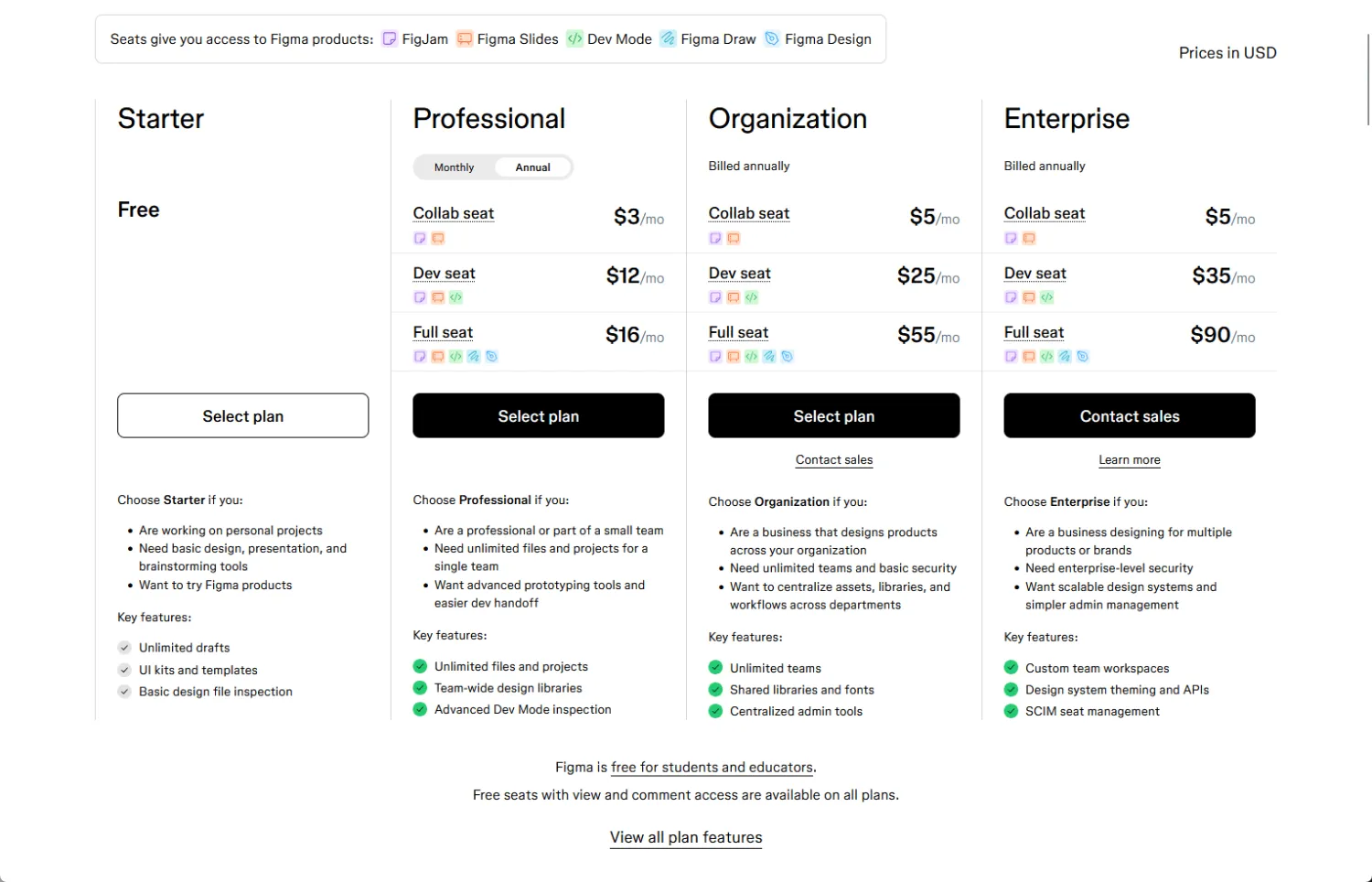
The generous free tier helps startups test FigJam without procurement red tape. However, version history and guest access remain locked behind paid plans.
Combine FigJam with Figma Professional to cut overlap costs and keep finance smiling.
4. Hotjar (Deep User Insight for Better Idea Validation)
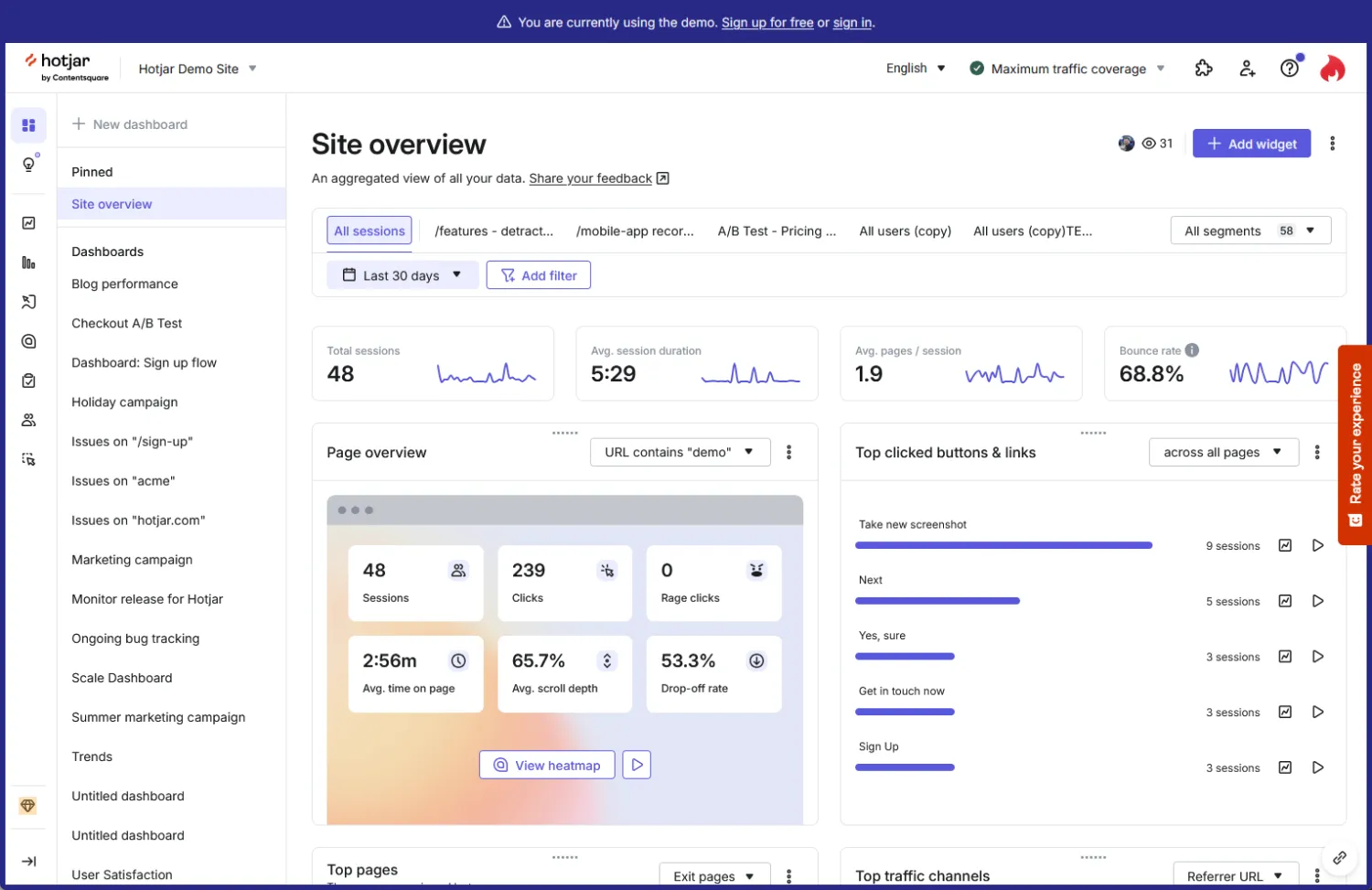
Hotjar is not a whiteboard; instead, it feeds design thinking with heatmaps, session replays, and in‑product surveys.
The recent rollout of User Trends AI clusters behavior patterns automatically.
Pros
- Heatmaps highlight click deserts within minutes
- Session replay pinpoints frustration signals accurately
- Survey widgets appear contextually in app flows
These insights arm product teams with evidence before ideation even starts. You will see where users hesitate, then brainstorm fixes on any canvas.
Surveys trigger only at meaningful moments, which drives higher response rates. That feedback loop builds a data‑grounded culture.
Cons
- No built‑in sketching or mapping tools
- Sampling limits on lower tiers may hide rare bugs
- Privacy banners needed to stay GDPR compliant
You must pair Hotjar with another tool for sketching solutions. Low sample caps could miss edge‑case rage clicks, so check traffic before you choose a tier.
GDPR consent pop‑ups add setup time, yet skipping them risks fines. Handling those banners first avoids launch delays.
Key features
- User Trends AI clustering
- Survey logic jumps and NPS tracking
- Funnel analysis dashboards
- Automatic PII blockers for compliance
These additions transform Hotjar from an observation gadget into a discovery engine. Now, idea workshops can start with AI‑clustered user struggles.
Pricing snapshot:
Observe plan starts free up to 35 daily sessions; Business tier at USD 80 per month for 500 daily sessions. AI features unlock at Business.
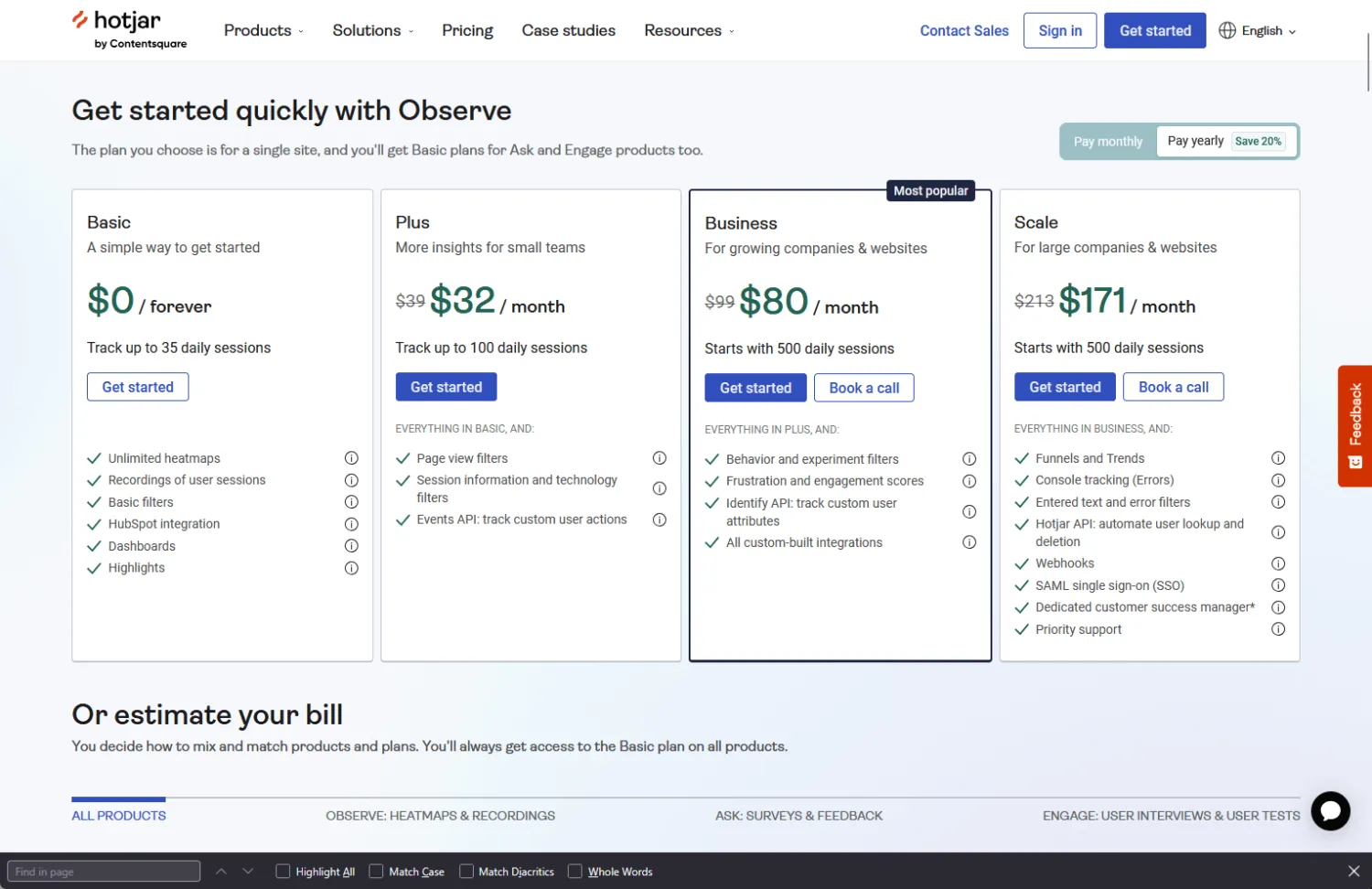
The step between free and Business feels steep, yet the extra sessions pay off once you view heatmaps by cohort.
AI clustering makes the upgrade worth it because it saves hours you would spend tagging sessions by hand. If your SaaS gets moderate traffic, you will likely need to upgrade soon.
5. Stormboard (Template‑Driven Workshops for Hybrid Teams)
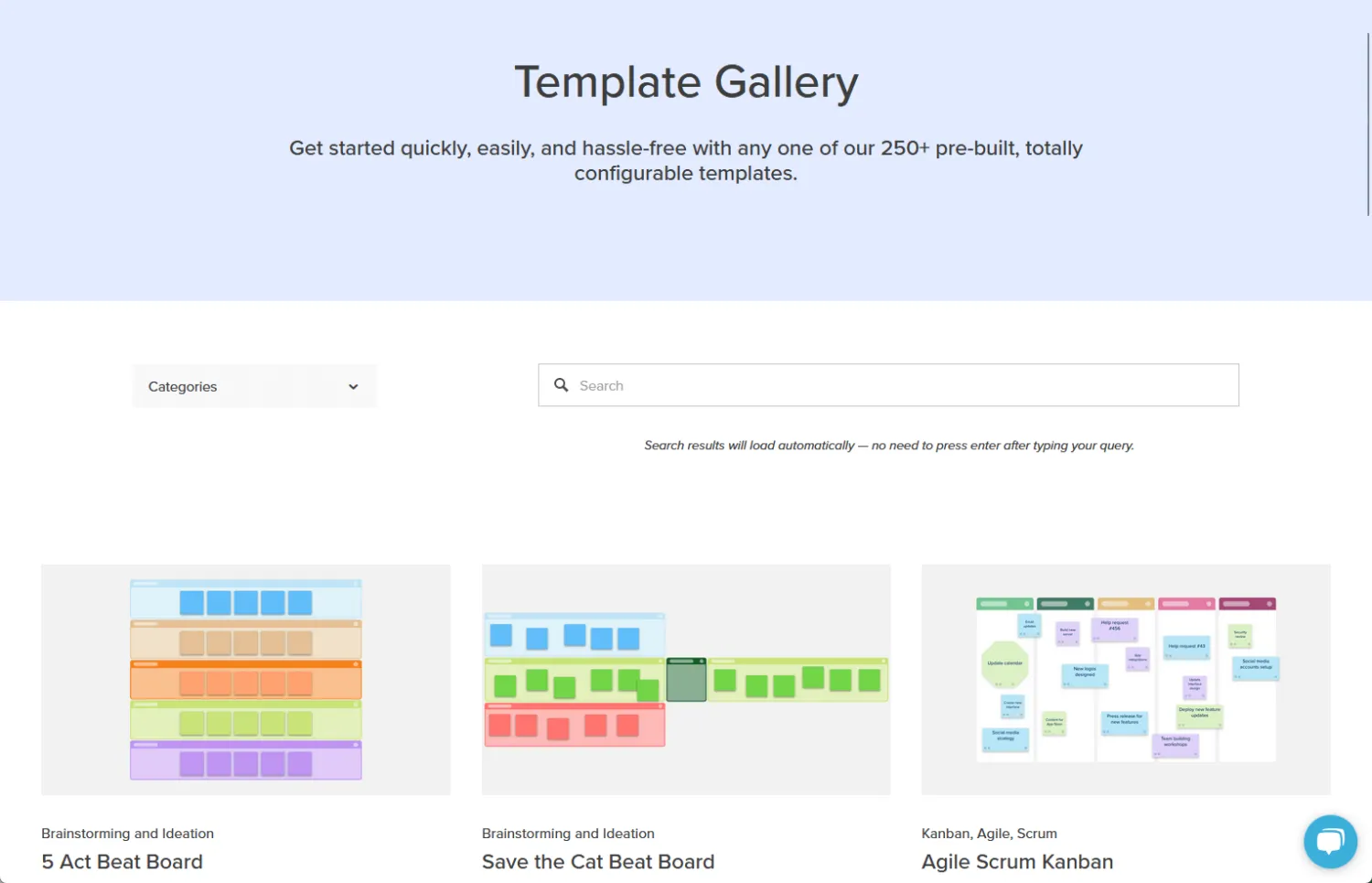
Stormboard focuses on meeting facilitation.
The recent update added Smart Templates with agenda timers and follow‑up tasks pushed to Teams.
Pros
- Built‑in agendas keep workshops tight
- Sticky notes auto‑group by color themes
- Export boards directly to Word and PowerPoint
As a result, meetings stay on track when a timer nudges speakers politely. In addition, auto-grouping accelerates affinity mapping, and exports shorten stakeholder write-ups.
That way, your hybrid team leaves with action items instead of just photos of a whiteboard.
Cons
- UI feels dated next to Miro
- Limited integrations beyond Microsoft 365 and Jira
However, a retro interface may deter design-centric organizations, even though casual users tend to adapt quickly.
Additionally, integration gaps mean you will have to copy board links manually to some tools.
StormAI is available in Business/Enterprise, offering template generation and idea suggestions.
Key features
- Smart templates with timer controls
- Two‑way sync to Planner and Jira
- Instant export to PDF and PPTX
- Multi‑language sticky notes translation
Smart templates eliminate the prep work many facilitators dread, so workshops start faster and run more smoothly.
Plus, translation broadens participation for global teams, making it easier to collaborate across regions. Two-way sync also backfills tasks, ensuring no one loses follow-ups along the way.
Pricing snapshot:
Team plan USD 10 per user/month; Enterprise quote‑based with SSO and advanced security.
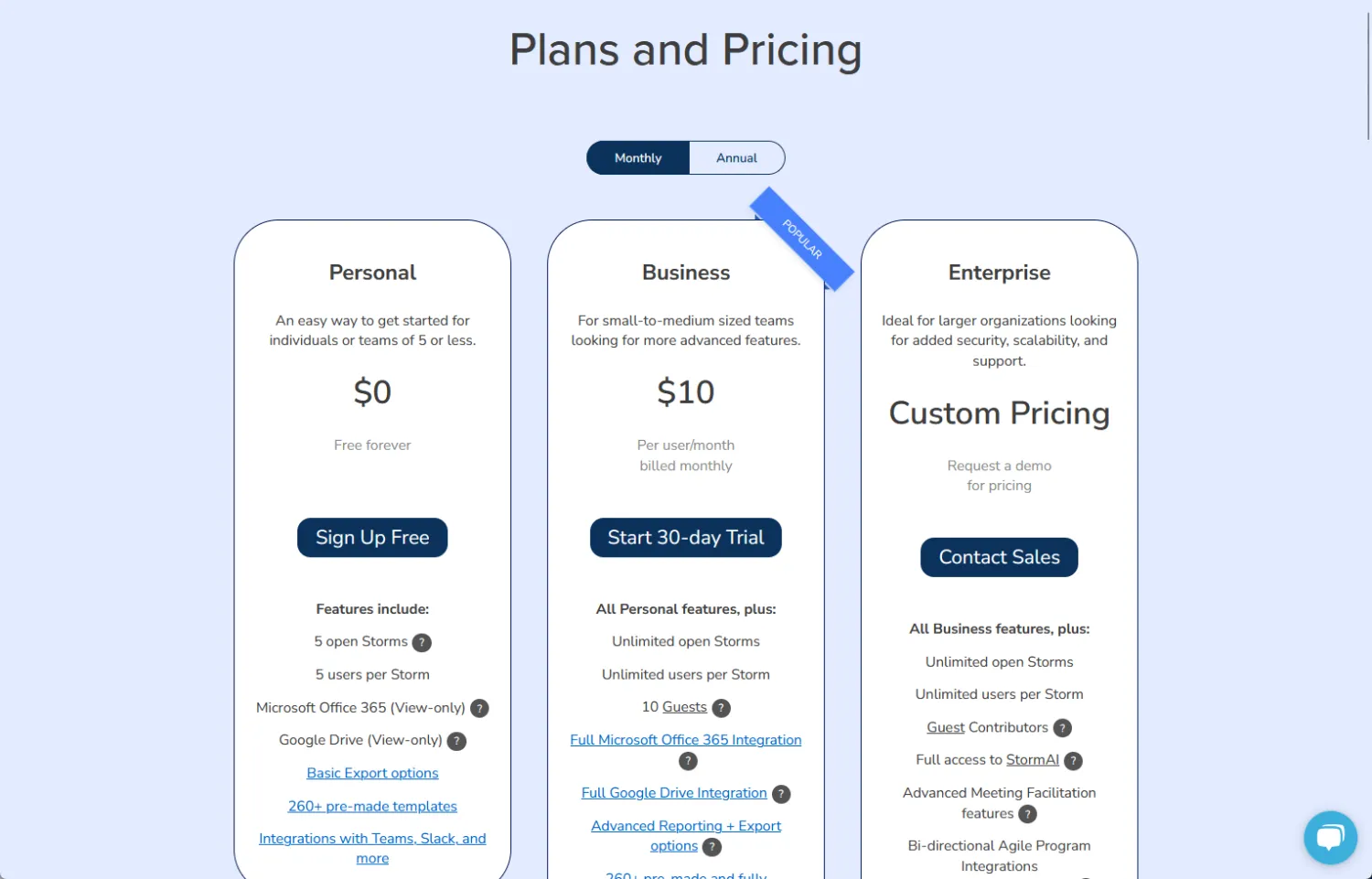
You pay less than Miro but sacrifice AI bells.
If workshops are your choke point, the ROI stays solid. Negotiate an enterprise if you want SSO to avoid account sprawl.
6. Smaply (Journey Mapping That Connects with Project Management)
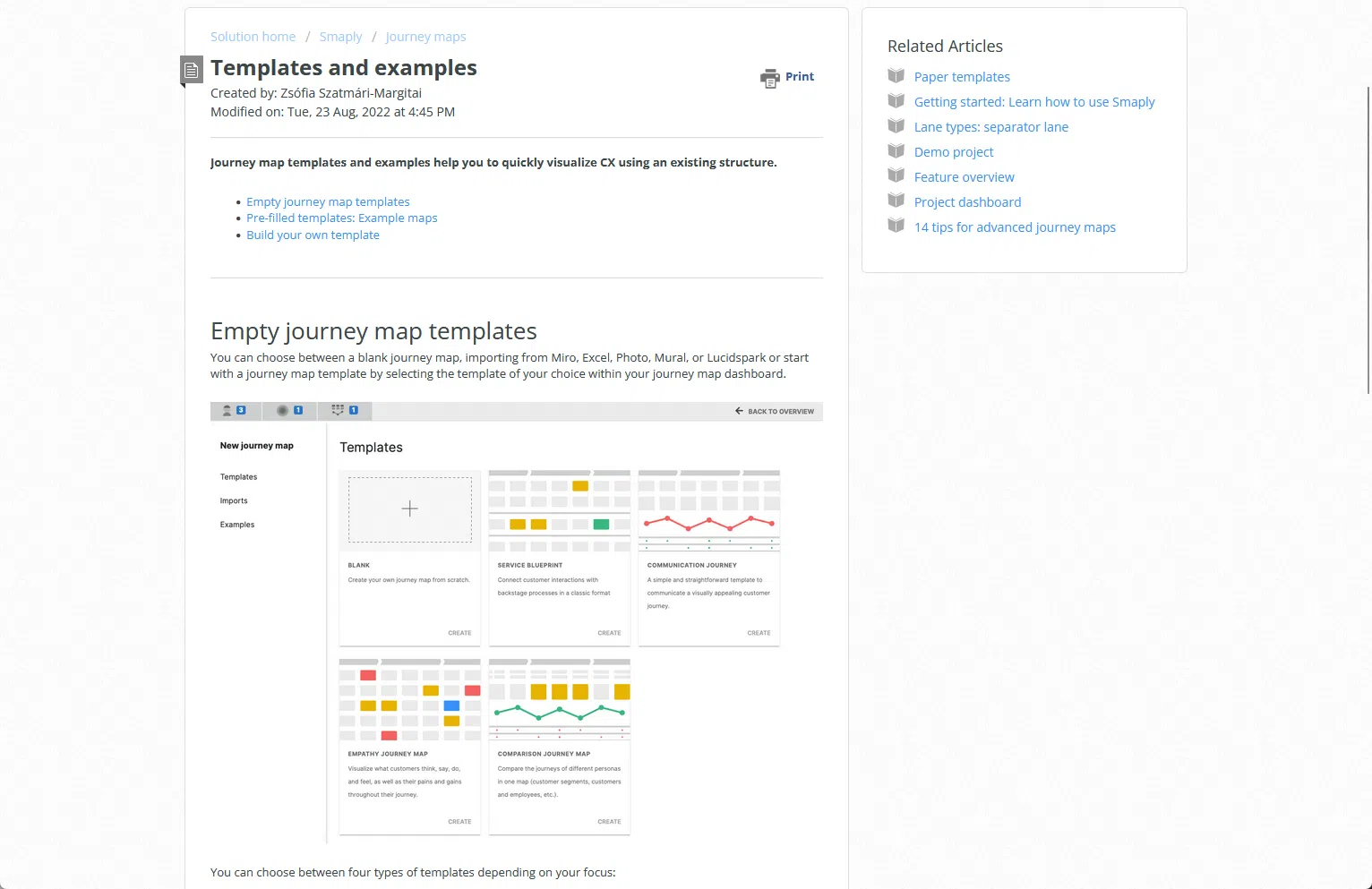
Smaply targets service designers who live in journey maps.
Share Link lets you embed live maps into Confluence pages.
Pros
- Persona, journey, and ecosystem maps in one tool
- Jira tickets create swim lanes automatically
- Export as SVG for print posters
Bundling maps simplifies evidence boards, so teams can see everything in one place. Additionally, automatic swim lanes align epics with user pain points for a clearer workflow.
SVG exports look crisp on office walls, reinforcing customer focus at every stage.
Cons
- Complex UI scares first‑time users
- Limited AI assistance for map creation
- Per‑journey pricing confuses budgeting
While training videos help, they still require a time commitment. Plus, mapping manually takes extra time without any AI shortcuts.
Key features
- Share link for live Confluence embeds
- Multi‑persona lane comparison
- Stakeholder sentiment overlay analytics
- PDF and SVG export toolkit
These upgrades make it easier to insert maps into daily tooling, which helps boost adoption.
In addition, sentiment overlays visualize pain clusters for deeper analysis. Live embeds also curb the rogue PDF problem, ensuring updates propagate instantly.
Pricing snapshot:
Free with 10 maps, then Repository USD 34 per editor/month with unlimited maps (all paid plans have unlimited maps)
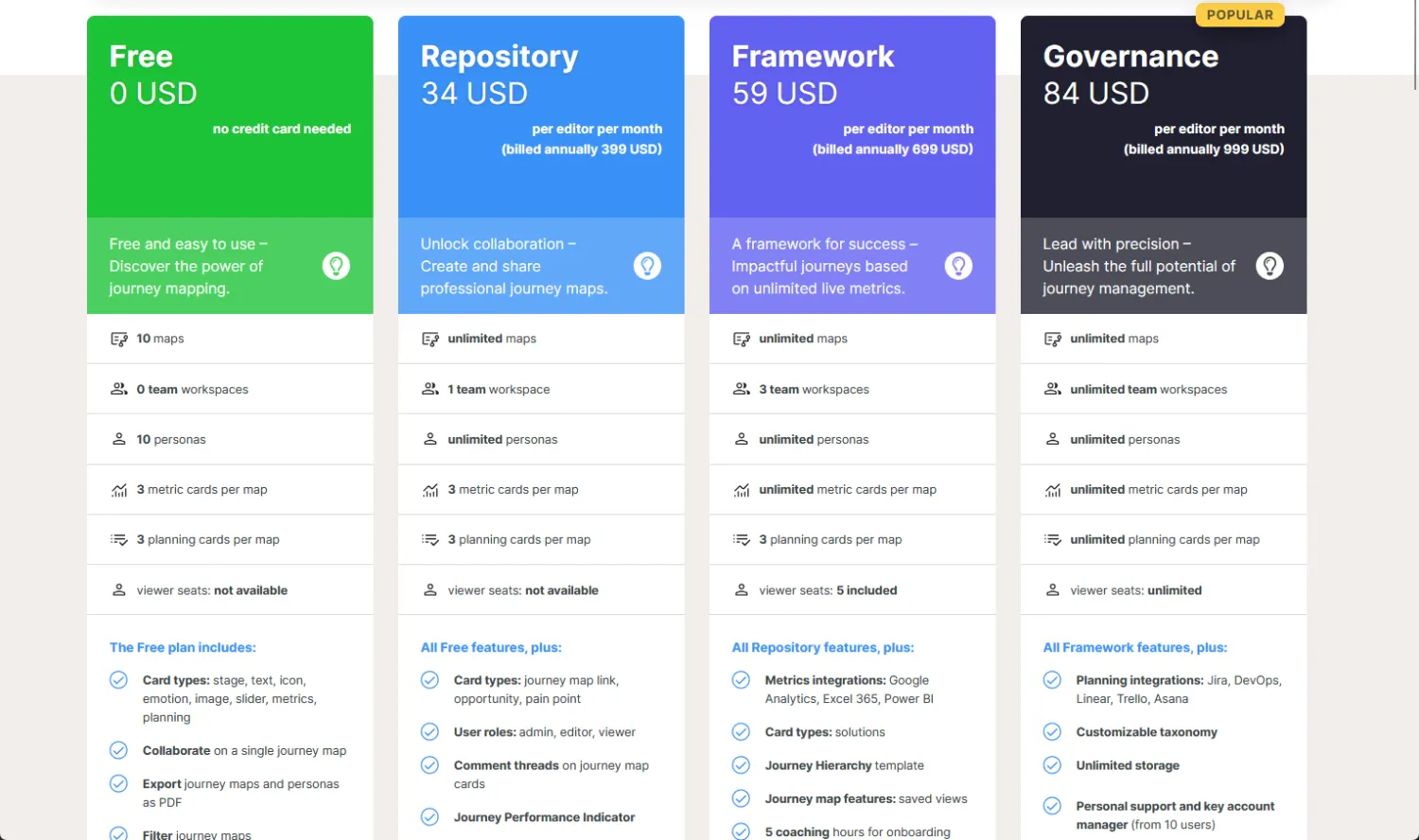
Now, unlimited maps are included in all paid Smaply plans, so you no longer need to track map limits after you upgrade from the free tier.
However, pricing is per editor, so costs will still rise as your team grows.
Review your roadmap and expected team size to budget accurately, and keep in mind that Enterprise SSO comes with an extra fee.
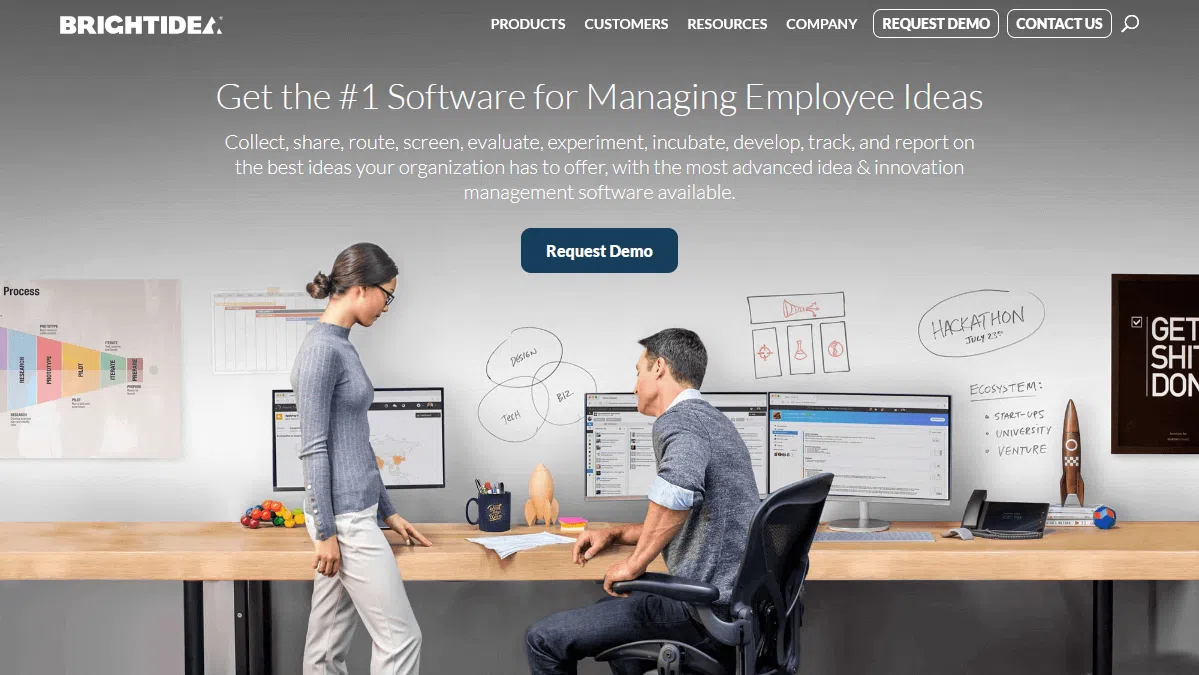
7. Brightidea (Enterprise Idea‑to‑Portfolio Tracking)
Brightidea spans ideation challenges, evaluation, and portfolio ROI dashboards.
The new Pulse Analytics module benchmarks idea throughput against industry averages.
Pros
- Challenge campaigns motivate diverse submissions
- Pulse analytics spots bottlenecks automatically
- Roadmapping view links ideas to strategic themes
Campaigns gamify contribution, which increases participation in trials. Meanwhile, analytics spotlights slow review stages, giving you evidence to unblock resources more effectively.
Additionally, road mapping ensures executives see how ideas align with strategic goals.
Cons
- UI feels complex without admin training
- Basic plan lacks Pulse Analytics
- Mobile experience remains view‑only
Because admins face a steep learning curve, you should allocate extra onboarding time.
Furthermore, skipping Pulse weakens your data backing, making it harder to justify decisions.
Since mobile is view‑only, frontline contribution is limited during site visits.
Key features
- Pulse analytics benchmarking suite
- Conditional review workflows
- Financial impact estimator
- Portfolio dashboard with custom KPIs
With conditional workflows, review time is cut by automatically routing ideas to the right panel.
In addition, financial impact estimators convert abstract value into numbers your finance team will appreciate.
Pricing snapshot:
Innovation Cloud starts at USD 59 per user/month with a 50‑user minimum. Pulse Analytics add‑on plus SSO bumps the cost by ≈25.
That minimum seat count means Brightidea fits best for larger innovation programs. Watch for extra costs if you need advanced analytics or single sign-on.
However, the all-in-one dashboards and benchmarking features make it easy to prove value to leadership. Review your pipeline needs before committing to avoid surprise add-ons later.
Pricing Reality Check: Where do costs explode at scale?
Before you sign a multi-year contract, compare how the numbers jump as headcount rises.
Cost snapshots
| Tool | 10 seats | 50 seats | 200 seats | Pricing gotchas |
|---|---|---|---|---|
| Accept Mission | €60/month (15-user flat) | €420/month (150 users) | Volume discounts | Extra AI tokens and add-ons (advanced reporting, retention) |
| Miro | $200/month | Nearly doubles at 50 seats | $3,000+/month | Enterprise, AI credits, compliance add-ons |
| FigJam + Figma | Free (up to 3 files) | ~$600/month | SSO & audit logs extra | Paid features: analytics, audit logs, SSO |
| Stormboard | ~$100/month (10 users) | ~$500/month | Enterprise quote-based | Few hidden fees, but check add-ons for SSO |
| Smaply | Free (10 maps) | $34/editor/month (unlimited maps) | Scales per editor | All paid plans now unlimited maps; price grows per editor |
| Brightidea | N/A | $59/user/month (50 user min) | Scales per user | Pulse Analytics/SSO add 25%; fits large orgs only |
Often, hidden line items include AI usage, guest editors, and advanced security. Always read each vendor’s fair-use policy because limits can vary widely.
In addition, budget for pilot overages so finance is ready for production spend. Be sure to ask about staging or sandbox environments, as these sometimes hide behind premium support.
Pick Two Tools and Run a Test
To avoid endless debates in meetings, first pick the two tools that match your top pain points and then run side-by-side pilots for one week.
Throughout the test, be sure to track idea velocity, time to prototype, and participation rates.
If a platform shows at least a 20 percent lift against your baseline, you can move it to a three-month roll-out plan; otherwise, simply drop it and test the next candidate.
Ready to see how Accept Mission could work for your team? Book a free demo today and experience how the right platform accelerates your innovation results.



![How to Improve Innovation Skills and Competency [Guide]](https://www.acceptmission.com/wp-content/uploads/2021/06/Blogbanner-How-to-Improve-Innovation-Skills-and-Competency-Guide-500x383.png)






 English
 Dutch
Dutch Portuguese
 Spanish
 French
 German
 Arabic