
 Doc Summary
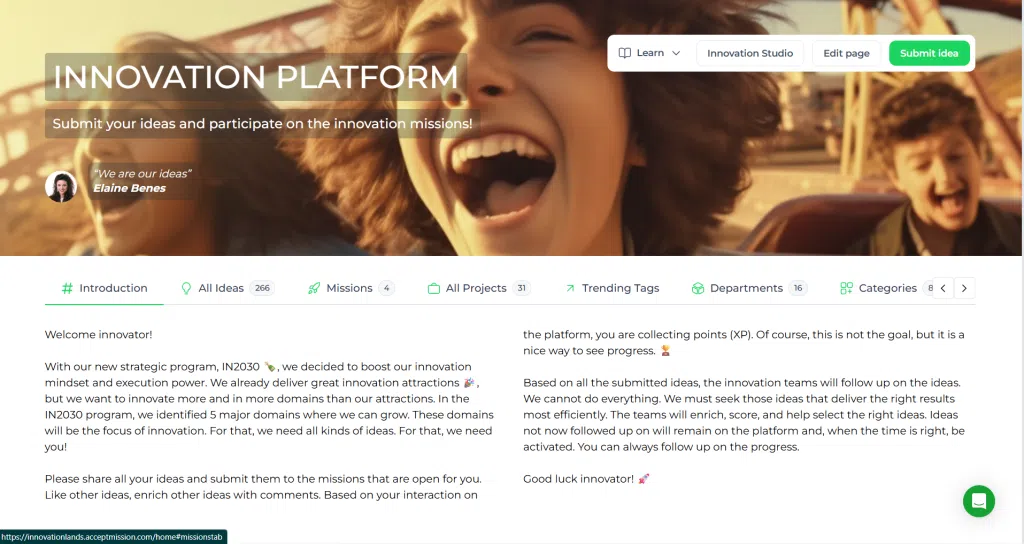
The Innovation Portal of Accept Mission is the landing page for normal users (non-Admin users). Users with Admin roles normally land in the Innovation Studio. On the Innovation Portal, users can see company branding, introduction text, the header, and the areas they can participate in, such as missions, selections, projects, and trending topics.
What is the Innovation Portal? #
The Innovation Portal is the main landing page for users without Admin permissions. It is the central place where users discover opportunities to participate in innovation activities and keep track of their own involvement.
From the Innovation Portal, users can view the company introduction, access open missions and group selections, follow departments and categories, check their ideas and projects, and explore trending topics across the platform.
How admins can edit the Innovation Portal #
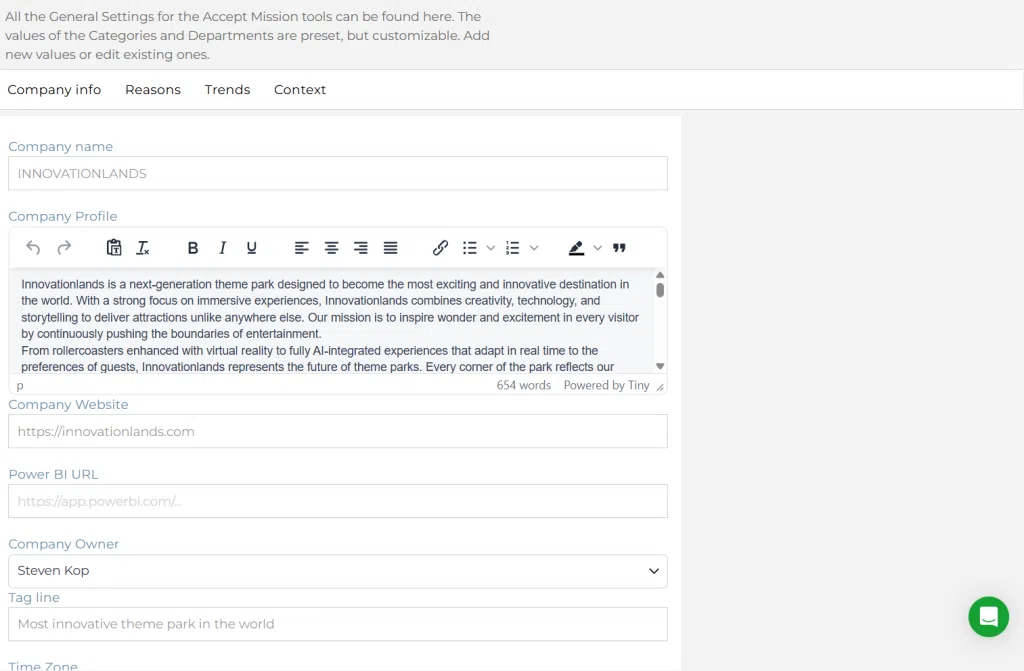
Admins can configure the visible content and branding of the Innovation Portal by editing the company page settings. This makes it possible to align the portal with the organization’s branding, communication style, and preferred homepage sections.
Go to: Innovation Studio → Settings → Company info
From there, click Edit page to update the portal header and homepage content.
Company header #
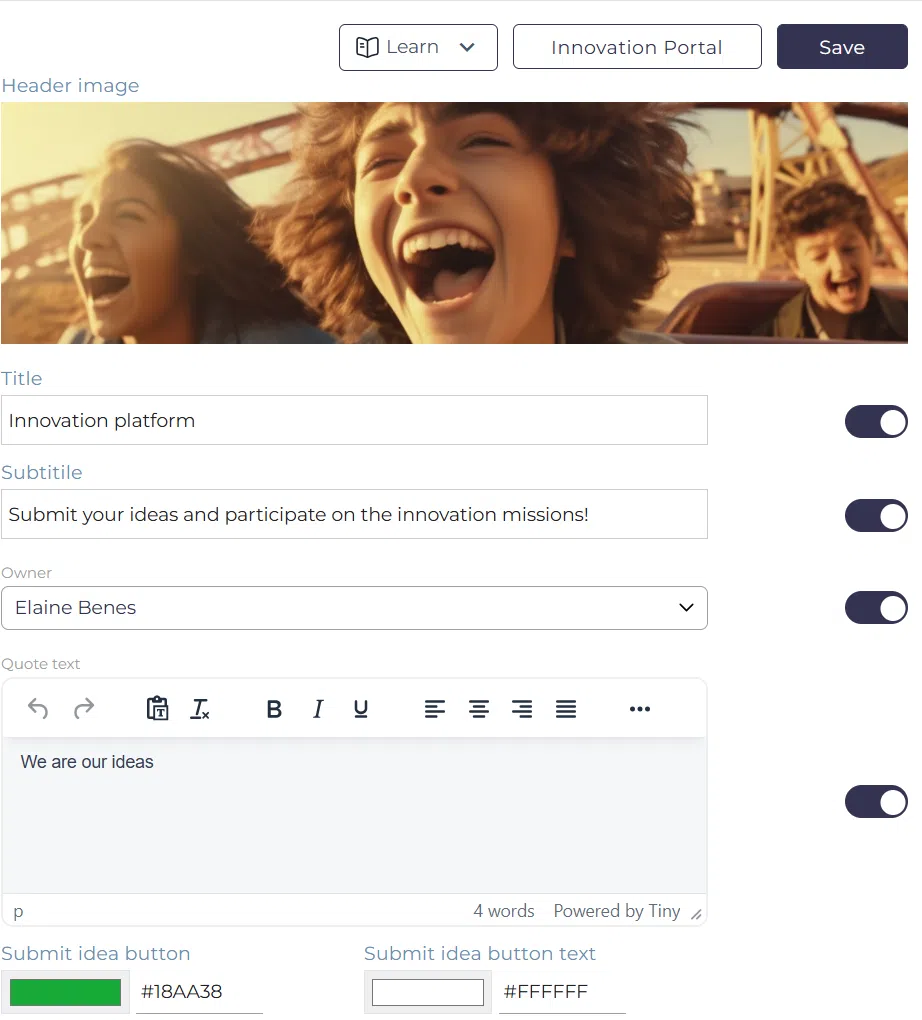
The Company Header gives a general introduction to innovation within your organization. Admins can adjust this page to match company branding and communication preferences.
Using the Edit page button, admins can configure:
- Header image, including upload and positioning
- Title and subtitle
- Owner and owner quote
- Introduction text
- Text colors and backdrops
- Visibility settings for company goals, missions, selections, ideas, projects, and topics
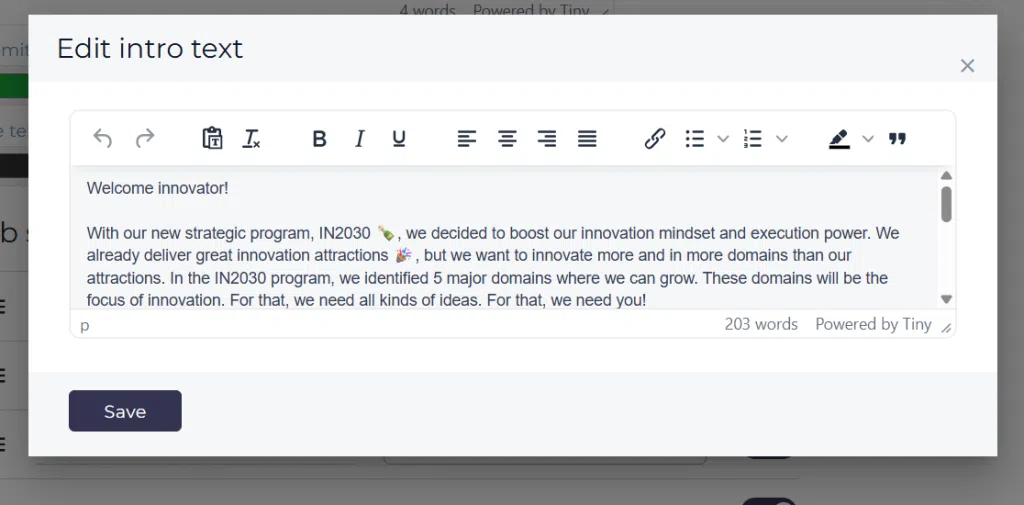
The introduction text is located in the Edit page view under the company header content settings. Admins can open this content block by clicking the introduction text area, which opens the Edit intro text editor window.
In this editor, admins can add or update the text shown at the top of the Innovation Portal. This is typically used to explain the innovation program, introduce strategic focus areas, or guide users on how they can participate.
After making changes, click Save to publish the updated introduction text on the Innovation Portal.
Sections on the Innovation Portal #
Missions #
Users see all missions they have access to. A Mission is a campaign used to collect ideas. A Mission can be open for a limited time or remain open without a deadline. Admins define which users can access each Mission and for how long.
Users only see missions that are available to them based on their permissions and access settings.
Departments #
The Departments section shows a grid of all departments. Selecting a department opens the department landing page, where users can find related contact persons, ideas, missions, projects, tags, trends, and people.
Tip: Follow a department to receive automatic updates when new items are added.
Categories #
The Categories section shows a grid of all categories, which usually represent strategic goals. Selecting a category opens the category landing page, where users can find related contact persons, ideas, missions, projects, tags, trends, and people.
Tip: Follow a category to receive automatic updates when new items are added.
Group selections #
Users can see the group selections that are open to them. A group selection is a Decision-making activity where a group of participants scores a subset of ideas based on criteria defined by an Admin.
After all participants have scored the ideas, the combined results can be used to support prioritization and Decision-making.
Note: If there are no open group selections, this section will not be shown.
Ideas #
Users can see the ideas they created themselves, as well as ideas they are connected to as team members. From here, they can check the status of an idea and make updates where allowed.
Projects #
Users can see the projects they created themselves, as well as projects they are connected to as team members. From here, they can review the project status and make updates where allowed.
Trending topics #
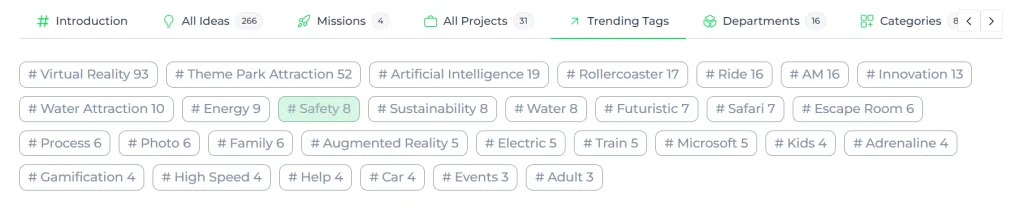
The top 30 trending topics are shown in this section. Topics are based on tags linked to ideas or projects, and they can also relate to skills connected to users.
Clicking a topic opens the topic page, where users can explore related ideas, projects, and people.
Tip: Follow a topic or Trend to receive automatic updates when new items are added.
How to use the Innovation Portal #
- Sign in with a user account that does not have Admin access.
- Review the company header for introduction text, branding, and visible sections.
- Open a Mission to participate in an idea campaign.
- Check whether any group selections are available for you.
- Explore departments and categories to find relevant innovation areas.
- Open your ideas and projects to track progress and make updates.
- Use trending topics to discover popular themes and related activity.
Summary #
The Innovation Portal is the main entry point for normal users in Accept Mission. It helps users discover relevant innovation activities, stay connected to their ideas and projects, and explore what is happening across the organization through missions, selections, departments, categories, and trending topics.
Admins can also manage the presentation of this portal by editing the company page settings, making it possible to control branding, introduction content, and which homepage sections are shown to users.



 English
 Dutch
Dutch Portuguese
 Spanish
 French
 German
 Arabic