
 Doc Summary
Why this feature is needed #
An idea campaign helps organizations collect ideas around a defined challenge, topic, or opportunity within a limited time frame. It creates focus, brings the right people together, and gives structure to idea collection, evaluation, and follow-up.
A successful campaign is not only about collecting many ideas. It is also about engaging the right participants, creating clarity around the Mission question, and moving the best ideas toward selection and execution.
What this feature is #
An idea campaign in Accept Mission is a structured, time-bound Mission used to gather and develop ideas from a defined audience. Campaigns are typically used to solve a Problem, explore a strategic topic, engage stakeholders, or support an innovation project.
Campaigns combine participation, collaboration, scoring, and reporting. Participants contribute ideas, the campaign team follows up on submissions, and Decision-makers review the strongest ideas for further action.
Within Accept Mission, campaigns connect idea collection with funnel management, scoring, selections, reports, and project follow-up. This makes them suitable for both broad participation and structured Decision-making.
Video tour #
Access level #
You need permission to create and manage missions, funnels, selections, and related reports before you can run a campaign effectively.
Navigation path #
Navigation path: Innovation Studio → Idea collecting → Campaigns → Open campaign
Invite people to a campaign: access, communication, and sharing #
To invite people to a campaign, open Innovation Studio → Idea collecting → Campaigns and select the campaign. Use Access to control who can participate, Communication to send or schedule messages, and Share to share the campaign with people. These are separate actions: sending a message or sharing a link does not replace the campaign’s access settings.
Before inviting participants, make sure the campaign is live (online). Participants cannot access a campaign while it is in Draft. Check the campaign status and its availability in Planning, including the start date. Adding people to Access or sending them the campaign link does not make a draft campaign accessible.
1. Give participants access #
- Open the campaign’s Access tab.
- Choose the access setting that fits your intended audience. Use Open for open access or Private when participation should be restricted. You do not need to make a campaign private simply to send invitations.
- Use Add users, Add groups, or Add departments to select the intended audience. For a private campaign, people outside the selected audience cannot see or participate in it.
- Review the audience and confirm that the changes have been saved.
Access controls participation. Adding a user to the campaign audience should not be treated as confirmation that an invitation message has been sent. Use Communication when you want to send a message.
2. Send or schedule campaign communication #
- Open the campaign’s Communication tab and start a new communication.
- In the New communication panel, select the intended Users and/or Groups. Users come from the campaign audience; check Access first if the intended people are not available.
- Select the appropriate campaign mail Template, such as an invitation or reminder template.
- Choose Send now, or choose Schedule and set the intended sending time.
- Check the audience, template, and timing before selecting Send communication.
- Review the communication history for the audience, channel, status, and sent or scheduled time. A scheduled entry is not confirmation that the message has already been delivered.
Use invitation messages to explain why the campaign matters, what contribution you are asking for, and when people should participate. Make communication as personal as possible. You can use the campaign communication tools, or send your own personal message through your usual communication channels.
3. Share the campaign #
Use the Share button at the top of the campaign to share it with people. You can include the campaign link in your own personal message. Sharing does not bypass access restrictions: check that recipients have access and that the campaign is live before asking them to participate.
For template setup and personalization, see Dynamic mail templates introduction. For restricted participation, see Keep ideas confidential.
How to use this feature #
A successful campaign usually follows four phases: preparation, Mission start, score and select, and Mission end. Each phase has a different goal. Preparation defines scope and setup. Mission start activates participation. Score and select turns input into decisions. Mission end closes the campaign and moves winning ideas forward.
The campaign team should actively guide the process. Campaigns do not run themselves. Communication, follow-up, and Decision-making all need attention during the full campaign period.
Step by step instructions #
- Define the campaign goal, target group, business owner, and Mission core team.
- Write a clear Mission question with a focused scope.
- Set a timeline with a start date, deadline, and follow-up moments.
- Define goals and KPIs such as active participants, number of ideas, comments, or likes.
- Decide whether you will use incentives, rewards, or recognition.
- Create the Mission in Accept Mission.
- Decide whether the campaign should use a separate funnel or an existing funnel.
- Configure the funnel stages, lanes, scoring criteria, and any required properties.
- Prepare communication and test the campaign with a small pilot group if needed.
- Launch the Mission and make sure activity starts in the first hours and first day.
- Follow up on ideas by reviewing, enriching, grouping, and scoring them.
- Use selection rounds, expert review, or group Decision-making where needed.
- Move the strongest ideas through the funnel and close the campaign with clear communication.
- Start projects from approved ideas when relevant.
- Review the Mission, funnel, and selection reports to evaluate results.
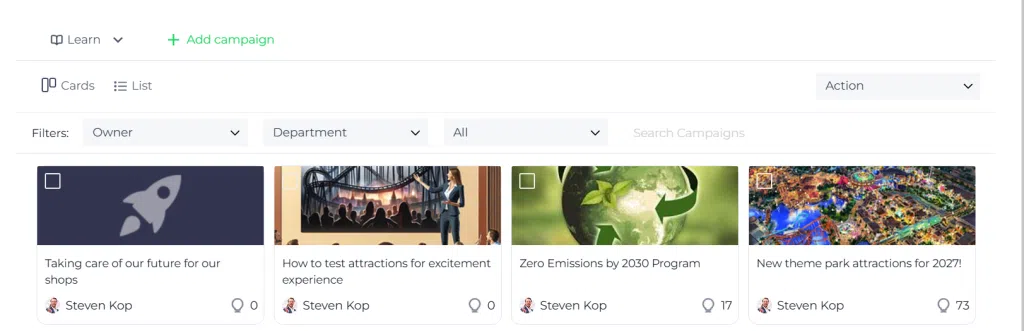
Phase 1: Preparation #
Preparation determines whether the campaign will collect useful input or create noise. Spend time defining the Mission scope and identifying the people who need to be involved.
Define the target groups #
Clarify the roles around the campaign before launch. These often include the Mission leader, Mission core team, business owner, participants, and experts. In many cases it is also useful to involve communication, marketing, or legal stakeholders early.
Write the Mission question #
The Mission question is one of the most important parts of the campaign. A well-scoped question helps participants understand what kind of ideas are needed. A vague question usually leads to vague ideas.
Use a specific briefing and make the topic concrete. The clearer the business Problem or opportunity is, the easier it becomes for participants to contribute relevant ideas.
Plan the campaign #
Create a timeline for preparation, launch, reminders, review, scoring, and closing communication. Clear deadlines increase participation and help the campaign team stay aligned.
Define goals and KPIs #
Campaign goals should be realistic. Common measures include number of people reached, active users, ideas submitted, likes, comments, views, and ideas per user. The primary goal is usually to identify one or more ideas worth following up on.
Prepare rewards and recognition #
Recognition can help stimulate activity. Rewards may focus on the best idea, the highest scoring idea, or the most active user based on XP. In some campaigns, rewarding contribution and collaboration works better than rewarding only one final winner.
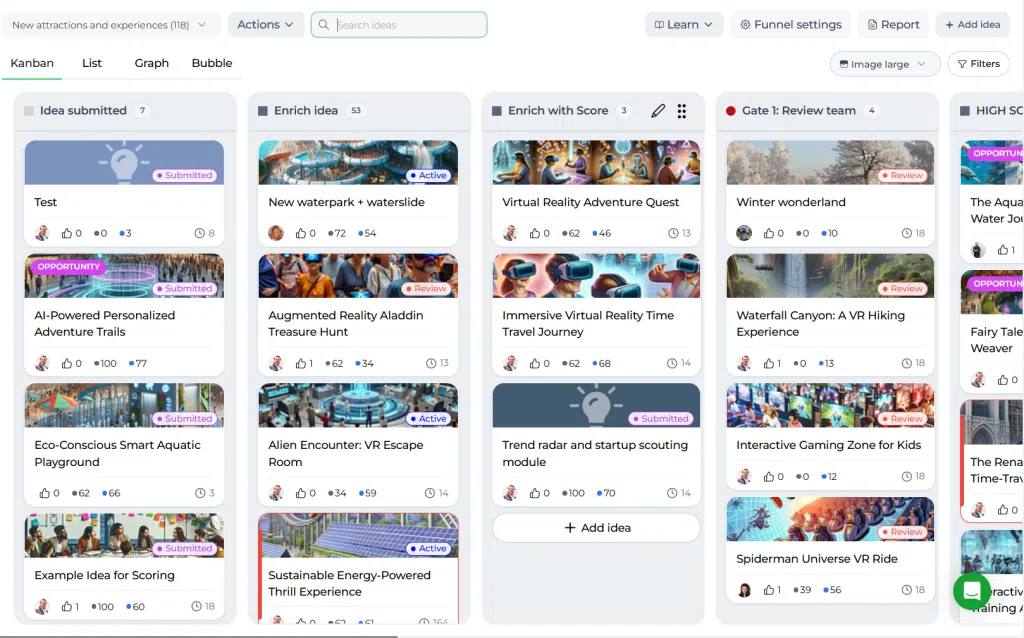
Configure the funnel #
Decide whether the campaign needs its own funnel or should feed into an existing one. If you are unsure, a separate funnel is often easier to manage. You can move ideas later if needed.
Run a pilot #
Before launch, test the campaign with a small representative group. Check whether login works, the links are correct, the communication is clear, and the platform works on desktop and mobile devices.
Phase 2: Mission start #
The first hours and first day of the campaign are important. Participants are more likely to contribute when they see activity, ideas, and interaction.
Launch actively #
Execute your communication plan, send reminders, and stimulate participation directly. The campaign team should lead by example and make sure the campaign feels active from the start.
It can help to make sure the Mission already contains a few ideas at launch. This lowers the barrier for others to participate.
Use the campaign report #
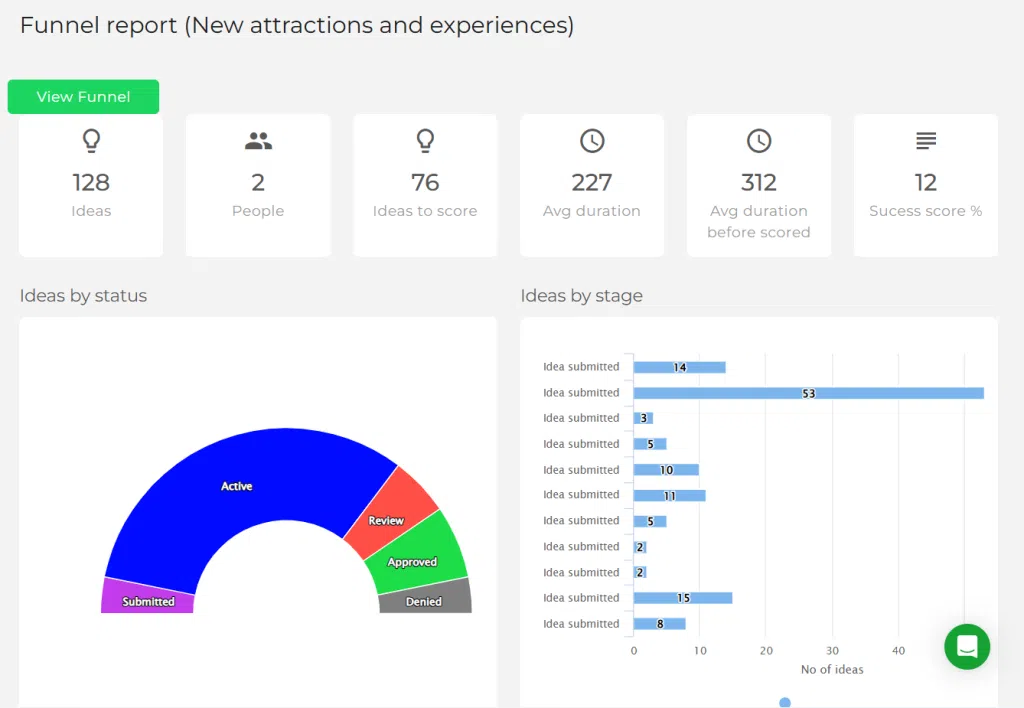
The Mission report helps you track campaign progress. It can show activity levels, top ideas, top users, XP, likes, comments, idea trends over time, and word cloud information. Use these insights to guide reminders and boost engagement.
Follow up on ideas #
Do not wait until the end of the campaign to review ideas. Follow up continuously by reading submissions, asking for clarification, enriching good ideas, and identifying duplicates or low-quality entries early.
Phase 3: Score and select #
Once ideas have been collected, the next step is to filter, enrich, score, and compare them. This phase turns participation into structured Decision support.
Optimize the funnel for review #
Use clear lanes to organize follow-up. Helpful Lane examples include Interesting, Maybe, Denied, On hold, Enrich, Expert review, or person-based follow-up lanes for specific owners.
Apply a hygiene filter #
Start with a quick review to remove garbage, identify duplicates, merge similar ideas, and move out-of-scope ideas out of the active process. This saves time later.
Enrich and score ideas #
Before formal scoring, improve idea quality where needed. Update titles and descriptions, add tags, assign owners, set relevant fields, and place ideas in the right Lane. Then apply the scoring criteria configured for the funnel.
If needed, configure the Scorecard and its score types centrally under Settings → Data and structures → Scorecards before using them in the funnel, and create any required properties.
Use graph and selection views #
After scoring, ideas can be compared in the funnel using the available graph view and scoring-based configurations. This makes it easier to identify high-potential ideas.
Run group Decision-making #
When many ideas need to be evaluated, use a structured selection process. Campaign teams, experts, or business owners can score a subset of ideas together. This improves transparency and reduces one-person bias.
Phase 4: Mission end #
At the end of the campaign, ideas typically fall into approved, denied, or on hold outcomes. The strongest ideas should be clearly communicated and prepared for next steps.
Start a project from an idea #
When an idea is approved for execution, it can be turned into a project from the idea detail view. This keeps the idea connected to the project for continuity.
Communicate the results #
Share the outcome with participants and stakeholders. Report on the number of ideas, engagement levels, selected ideas, and next steps. Closing the feedback loop is important for trust and future participation.
Review campaign reports #
Use Mission reports, funnel reports, and selection reports to understand what worked well and where the process can improve next time.
Configuration and adjustments #
Campaign setup usually requires configuration across the Mission and its connected funnel. Review the campaign structure before launch and make adjustments in the funnel settings where needed.
This often includes:
- Choosing a separate funnel or an existing funnel
- Setting lanes and stage flow
- Configuring scoring criteria in funnel settings
- Adding properties if campaign-specific data is needed
- Preparing reports and selection rounds for later evaluation
Keep the configuration practical. A campaign should be structured enough to support decisions, but not so complex that participants or reviewers lose momentum.
Practical example – Innovationlands #
Innovationlands launches a four-week campaign to improve guest flow and reduce queue frustration during peak summer periods. The business owner wants practical ideas that can be tested before the next holiday season.
In the preparation phase, the campaign team defines the question as: How can we reduce guest waiting frustration in high-traffic park areas during peak hours? They invite park operations, guest services, digital teams, and selected external experts. They create a dedicated funnel with lanes for Submitted, Enrich, Expert review, Shortlist, On hold, and Denied.
At launch, the team makes sure the Mission already contains a few example ideas so participants do not face an empty campaign. During the first week, the team sends reminders and uses the Mission report to monitor activity and identify which departments need extra encouragement.
In the score and select phase, similar ideas are merged, weak submissions are filtered out, and promising concepts are enriched with clearer titles, descriptions, and ownership. The team then scores shortlisted ideas on feasibility, guest impact, and implementation effort. High-potential ideas are reviewed by operations experts and business owners in a structured selection round.
At the end of the campaign, Innovationlands selects two ideas for follow-up: a queue information display concept and a mobile pre-order pilot for popular food outlets. These ideas are moved forward into execution planning, and the campaign report is shared with participants to show outcomes and maintain engagement for future missions.
Campaign form groups #
Campaign forms can now organize related participant fields into groups. For the campaign-specific setup and participant view, see Create and manage groups in a campaign form.



 English
 Dutch
Dutch Portuguese
 Spanish
 French
 German
 Arabic