
 Doc Summary
Why this feature is needed #
Innovation is not only about delivering results. It is also about learning what worked, what did not work, and what should be done differently next time. If these lessons are not captured, valuable knowledge is easily lost and teams may repeat the same mistakes.
Innovation lessons help teams make learning visible and reusable. This improves future Decision-making, strengthens innovation methods, and helps organizations build a stronger knowledge base over time.
What this feature is #
Innovation lessons in Accept Mission are part of the broader innovation intelligence feature and help teams capture, structure, and reuse learnings throughout the innovation process.
This feature can be used for both ideas and projects. It allows users to register lessons learned during the innovation, mark the most important one as the primary Lesson, and identify certain lessons as higher-level lessons when they are relevant beyond one specific idea or project.
Lessons can also be connected to other innovation intelligence items such as problems, risks, experiments, decisions, and canvases. This helps teams understand where the learning came from and how it fits into the broader innovation story.
Access level #
You need access to the relevant idea or project in the Innovation Studio to work with innovation lessons.
Navigation path #
Navigation path: Innovation Studio → Ideas → Open funnel → Open idea → Work → Lessons
How to use this feature #
Innovation lessons are used inside ideas and projects to capture what the team learns along the way. These lessons can be about the innovation itself or about the innovation process that the team is following.
By recording lessons in a structured way, teams can preserve useful insights, highlight the most important takeaway, and raise broader lessons to a higher level when they are relevant for other teams or future innovations.
Step by step instructions #
- Open Innovation Studio.
- Choose whether you want to work inside an idea or a project.
- Open the relevant idea or project.
- Go to the Work tab.
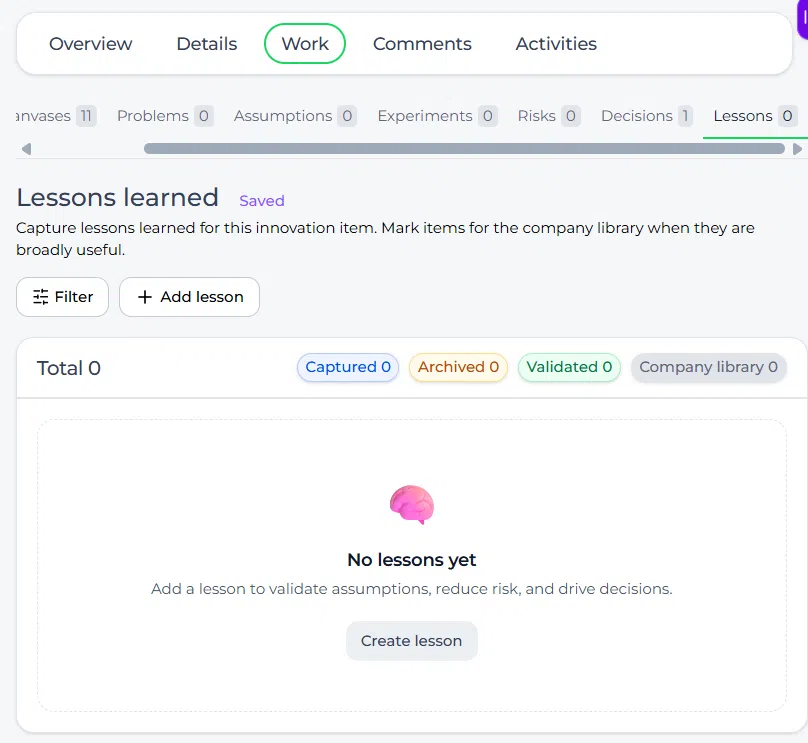
- Open the Lessons tab.
- Add a new Lesson.
- Enter the Lesson title.
- Add more detail if needed.
- Save the Lesson.
- Repeat this for all relevant lessons connected to the innovation.
- Select which Lesson should be marked as the primary Lesson.
- Mark lessons as higher level when they are relevant beyond this one idea or project.
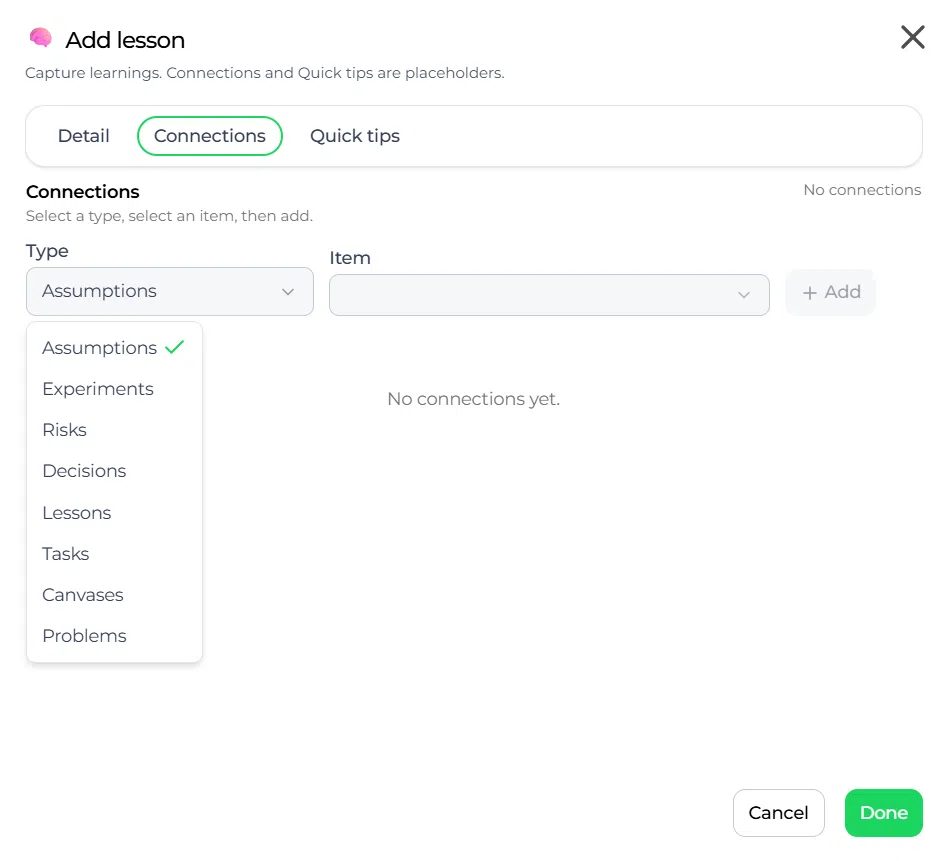
- Connect the Lesson to related innovation intelligence items where relevant.
What you can do with innovation lessons #
Within the Lessons tab, teams can:
- Register lessons learned during the innovation
- Capture insights from both content and process
- Define the most important Lesson as the primary Lesson
- Mark lessons as higher level
- Connect lessons to other innovation intelligence items
This creates a structured knowledge base directly linked to the innovation.
Types of lessons #
Content-related lessons #
These are lessons about the innovation itself, such as what worked or did not work in the Solution, insights about customer needs, findings from experiments, or validation outcomes.
Process-related lessons #
These are lessons about how the innovation process was executed, such as what improved team collaboration, what slowed down progress, which methods were effective, or how Decision-making could be improved.
Both types of lessons are valuable and can be captured in the same feature.
Primary Lesson #
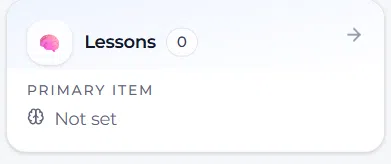
Some lessons have more impact than others. The platform allows you to define a primary Lesson, which represents the most important takeaway from the innovation.
This helps highlight what matters most for stakeholders and for future reference.
Higher-level lessons #
A key feature of innovation lessons is the ability to mark lessons as higher level.
These are lessons that go beyond a single idea or project and are relevant for the broader innovation process, other teams, other departments, or future innovations. Marking lessons at a higher level makes them easier to report on and reuse across the organization.
Connecting lessons to other items #
Lessons can be linked to other innovation intelligence elements, such as problems, assumptions, risks, experiments, decisions, and canvases.
This creates context around each Lesson and makes it easier to understand where the learning came from.
For example:
- A Lesson can result from an Experiment
- A Lesson can relate to a failed Assumption
- A Lesson can be linked to a specific Risk that materialized
- A Lesson can support or explain a Decision
This connected structure strengthens knowledge sharing and traceability.
Reporting and visibility #
Higher-level lessons can be used for broader reporting and analysis. This allows organizations to identify recurring patterns, improve innovation processes over time, share best practices across teams, and build an internal knowledge base.
This makes lessons useful not only for one innovation, but also for continuous improvement across the wider innovation system.
Innovation intelligence feature page #
Innovation lessons are one of the tools within the broader Innovation intelligence feature. This broader feature helps teams capture structure, insights, decisions, and learning directly inside ideas and projects.
Configuration and adjustments #
Innovation lessons are available in both ideas and projects, which means the same structured learning approach can be used during exploration and during execution.
To work with this feature in ideas, follow this path:
Navigation path: Innovation Studio → Ideas → Open funnel → Open idea → Work → Lessons
To work with this feature in projects, follow this path:
Navigation path: Innovation Studio → Projects → Open project → Work → Lessons
To keep this feature useful, teams should capture lessons regularly, identify the primary Lesson when needed, and mark higher-level lessons when they are valuable beyond the current innovation. This improves reuse and strengthens organizational learning.
Practical example – Innovationlands #
Innovationlands is running a pilot for a new guest queue experience and learns several things during the process. Some lessons are about the Solution itself, such as which guest interaction worked best. Other lessons are about the process, such as the fact that earlier stakeholder involvement would have reduced delays.
Inside the project, the team opens the Lessons tab in the Work area and records these learnings. They mark one Lesson about early stakeholder alignment as the primary Lesson because it had the biggest impact on the project outcome. They also mark it as a higher-level Lesson because it is relevant for other innovation teams across the organization.
The team then links that Lesson to the related Risk and Decision items so the full context remains visible. This helps Innovationlands not only improve the current innovation, but also reuse the learning in future projects and innovation sprints.



 English
 Dutch
Dutch Portuguese
 Spanish
 French
 German
 Arabic