
 Doc Summary
Scorecards: Functional Overview #
Scorecards provide a structured way to evaluate ideas using consistent criteria. They help reviewers assess the same questions, compare ideas fairly, and make decisions based on more than intuition.
New Scorecard management #
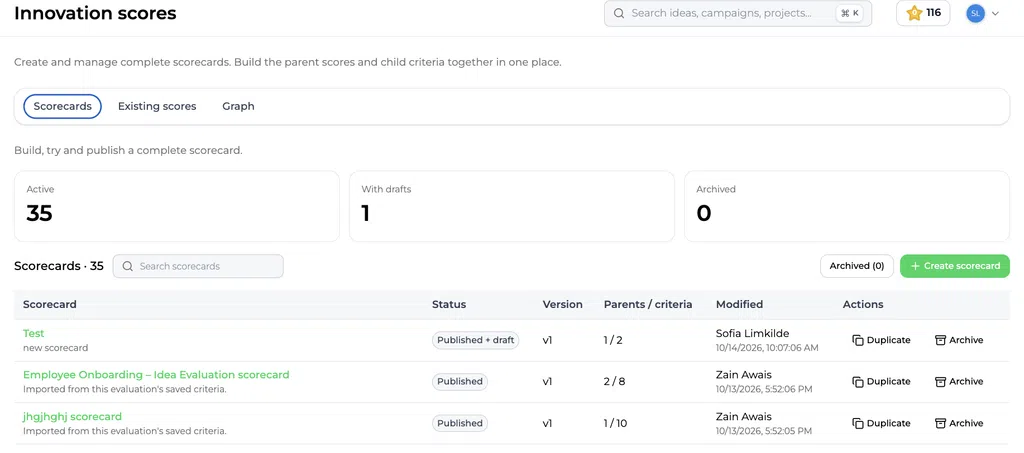
Scorecards are now managed centrally in one location and can be reused across Funnels and Evaluations. This means you can create a Scorecard once and use the same structure wherever the same evaluation approach is needed. You can also duplicate an existing Scorecard to reuse its structure as the starting point for a new Scorecard.
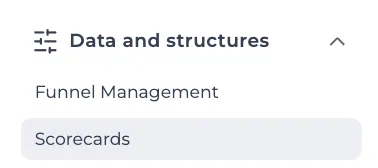
To manage scorecards, go to Settings → Data and structures → Scorecards.
How the new Scorecard structure works #
- Parent categories group related areas of assessment, such as Desirability, Feasibility, or Business Impact.
- Child Criteria sit underneath a parent category and are the criteria that evaluators score.
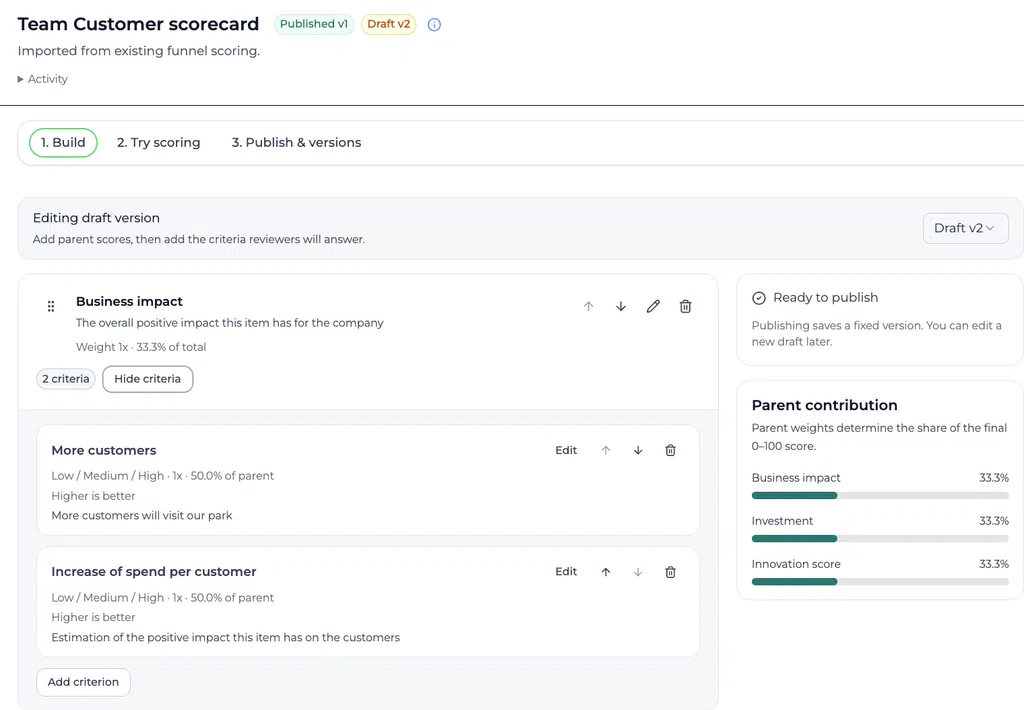
- Scores given to Child Criteria roll up into their parent category.
- Parent categories can have configurable weights. The percentages are calculated automatically based on the relative weights.
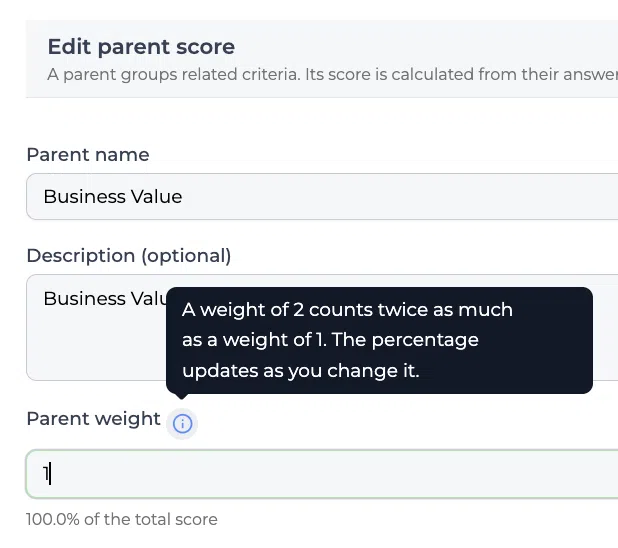
- Child Criteria can also have configurable weights. Their percentages are calculated automatically based on their relative weights.
- Every parent category must contain at least one child criterion before the Scorecard can be published.
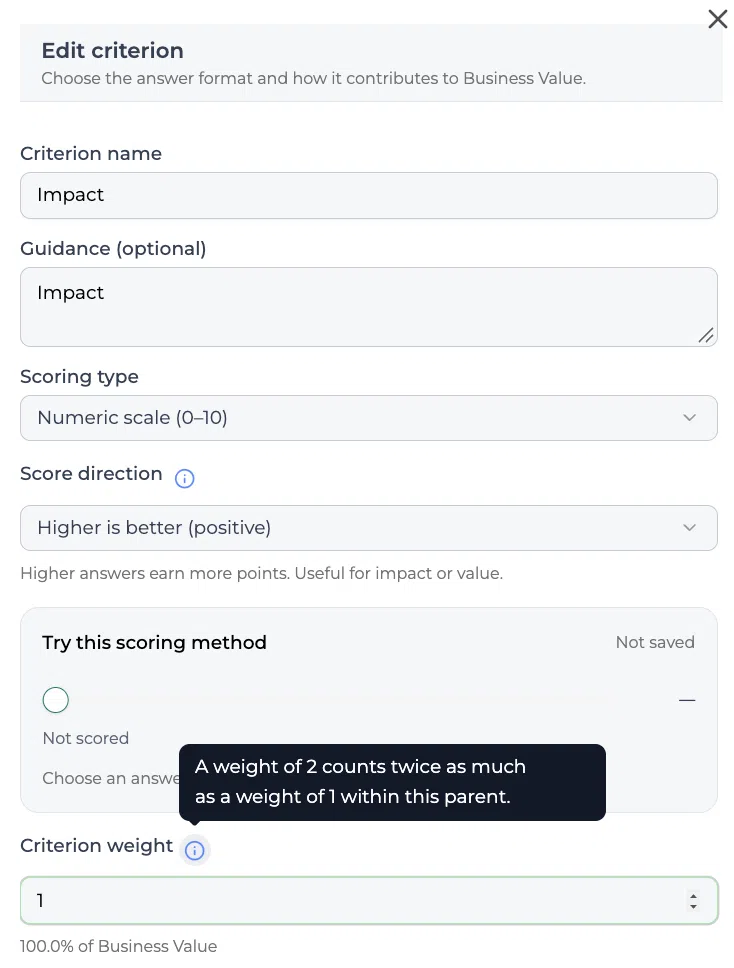
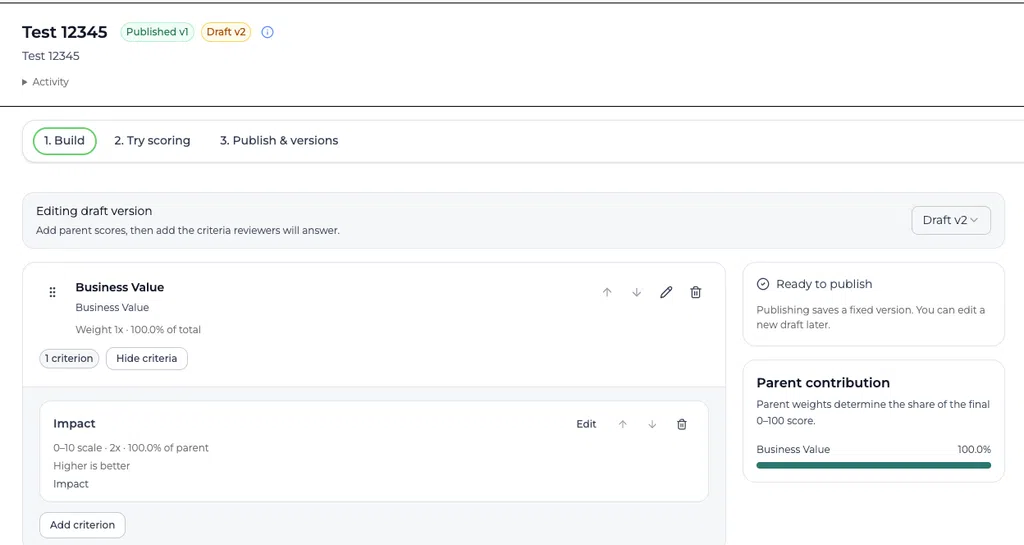
For example, if two parent categories have weights of 2 and 1, their relative contribution is calculated as approximately 66.7% and 33.3%. If two Child Criteria have weights of 1 and 3, their contribution is calculated as 25% and 75%.
What a Scorecard contains #
A Scorecard is made up of parent categories and Child Criteria. Parent categories group related areas of assessment, while Child Criteria describe the specific questions that reviewers assess. Child scores roll up into their parent category and contribute to the overall Scorecard result.
Common criteria include:
- Strategic alignment
- Customer value
- Feasibility
- Expected impact
- Implementation effort
- Risk
- Sustainability
Each criterion can use an appropriate score type, such as a numeric scale, star rating, Low/Medium/High, or custom options.
Why scorecards are useful #
Scorecards make evaluation more transparent and repeatable. They help teams:
- Ask every reviewer to assess the same criteria
- Compare ideas using a common structure
- Identify strengths, weaknesses, and risks
- Explain why an idea was selected or rejected
- Support Decision matrices, reporting, and prioritization
A Scorecard should reflect the Decision the organization needs to make. Avoid adding criteria that reviewers cannot realistically assess.
How scorecards work in practice #
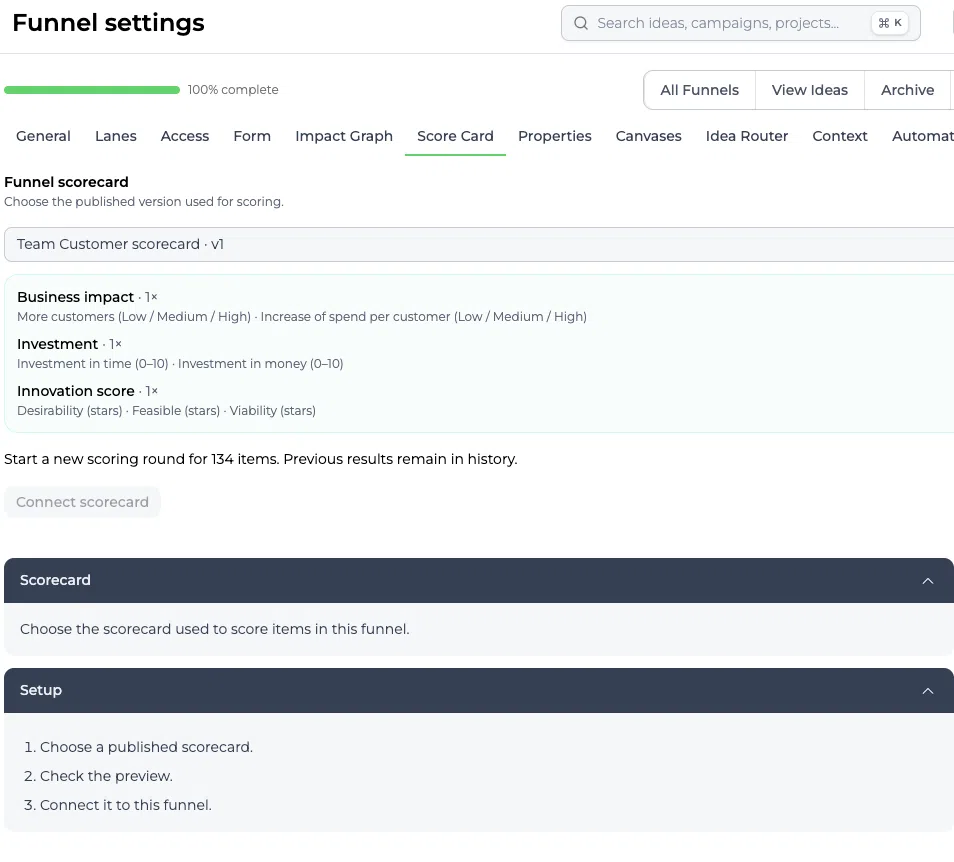
An administrator creates and manages the Scorecard under Settings → Data and structures → Scorecards. After the Scorecard is published, it can be reused in the relevant Funnel or Evaluation where ideas will be reviewed.
Typical workflow:
- Define what the organization needs to decide.
- Open Settings → Data and structures → Scorecards.
- Create the parent categories that group the areas of assessment.
- Add at least one child criterion under each parent category and choose a suitable score type.
- Configure the parent and child weights where required.
- Confirm that every parent category has a child criterion, then publish the Scorecard.
- Reuse the published Scorecard in the relevant Funnel or Evaluation and test it with a sample idea.
Examples #
Example 1: New customer service concept #
A team evaluating a new customer service concept might use:
- Customer value: Low/Medium/High
- Strategic alignment: 0–10
- Feasibility: 0–10
- Expected implementation effort: Low/Medium/High
- Risk: Low/Medium/High
This combination captures both the opportunity and the difficulty of delivering it.
Example 2: Internal process improvement #
For an internal process improvement idea, the Scorecard might include:
- Time saved per month
- Number of departments affected
- Ease of implementation
- Compliance Risk
- Employee benefit
A numeric score can be useful for measurable criteria, while a dropdown or Low/Medium/High scale is often clearer for Risk and effort.
Example 3: Early-stage innovation #
For early-stage ideas, reviewers may not have enough evidence for precise financial scoring. A simpler Scorecard could focus on:
- Problem importance
- Customer evidence
- Strategic relevance
- Learning potential
- Key assumptions still to validate
The Scorecard can be refined later as the idea develops.
Good Scorecard practice #
Keep scorecards focused. Each criterion should have a clear purpose and should not duplicate another criterion.
Provide guidance for each criterion. For example:
- Feasibility: Consider technical, operational, and regulatory constraints.
- Customer value: Consider the size and importance of the customer Problem.
- Strategic alignment: Consider how directly the idea supports the selected strategic priority.
Use the same Scorecard for ideas that need to be compared. If two groups are making different decisions, create separate scorecards rather than forcing unrelated ideas into one evaluation model.
Scorecards and properties #
Properties and Scorecard criteria serve different purposes:
- Use a Property to store information about an idea or project, such as target market, expected lead time, or business owner.
- Use a Scorecard criterion when reviewers need to assess or rate an idea.
For example, Expected lead time may be a Property containing a number of weeks, while Feasibility may be a Scorecard criterion rated from 0 to 10.



 English
 Dutch
Dutch Portuguese
 Spanish
 French
 German
 Arabic