
 Doc Summary
Why this feature is needed #
The company name is a core platform setting that identifies your organization across the Accept Mission environment. Keeping this name correct helps users recognize the platform, supports consistent company branding, and avoids confusion in administration and communication.
This setting is usually updated after a company rename, a merger, a rebrand, or when the platform is first configured and the company name needs to be corrected.
What this feature is #
The company name setting is part of the company configuration in Accept Mission. It is managed in the settings area and affects how your organization is represented in the platform.
This is a global setting. Because it changes company-level information, access is restricted to users with the correct administrative permissions.
Platform area #
Application Settings
Access level #
You must have a Super Admin role to change the company name. If you can open the settings area but cannot edit the company information, your account does not have the required permissions.
Navigation path #
Navigation path: Innovation Studio → Settings → Company info
How to use this feature #
The company name can be updated from the company information settings page. This page contains the main organization-level fields used to identify your company in the platform.
Only users with the right role should make this change, because updating company information affects the full environment rather than a single Mission, idea, or project.
Step by step instructions #
- Sign in with a user account that has the Super Admin role.
- Open the Innovation Studio.
- Go to Settings.
- Open Company info.
- Find the field for the company name.
- Replace the current company name with the correct one.
- Save the change.
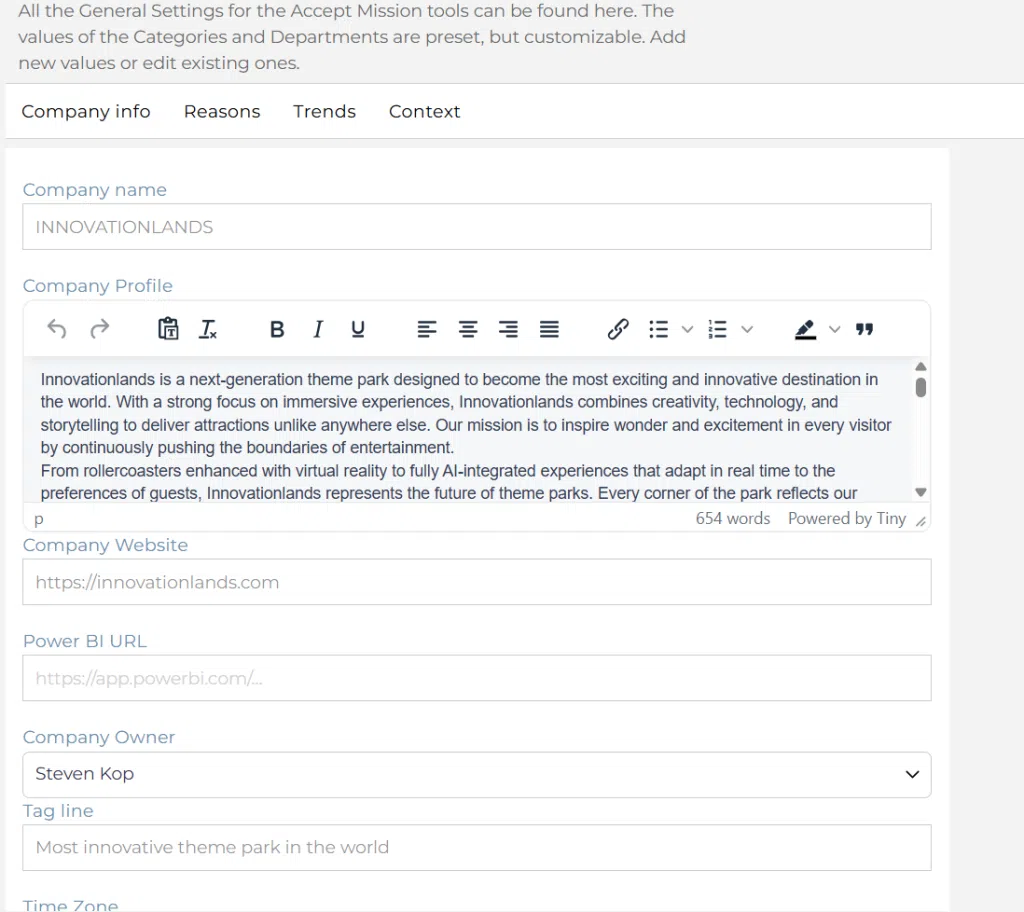
Screenshot: Company info settings page.
Description: Show the Company info page in Settings with the company name field visible and editable.
Configuration and adjustments #
The company name is managed in the company settings area. Because this is a company-level configuration, changes should be made carefully and only by users responsible for platform governance.
If the company name cannot be changed, this usually means the logged-in user does not have the required role. In that case, contact the correct internal owner or your support contact.
Practical example – Innovationlands #
At Innovationlands, the platform was initially configured with a temporary company label during implementation. Before launching new idea campaigns for attraction improvements and guest experience initiatives, the Super Admin updates the company name to Innovationlands Group in Settings → Company info.
This ensures that the correct organization name is shown consistently across the environment while park teams continue using the platform to collect ideas, enrich promising submissions in the funnel, and prepare Decision moments for the Group Innovation Board. Keeping the company information correct supports clear governance and prevents confusion when ideas later move into structured project execution.



 English
 Dutch
Dutch Portuguese
 Spanish
 French
 German
 Arabic